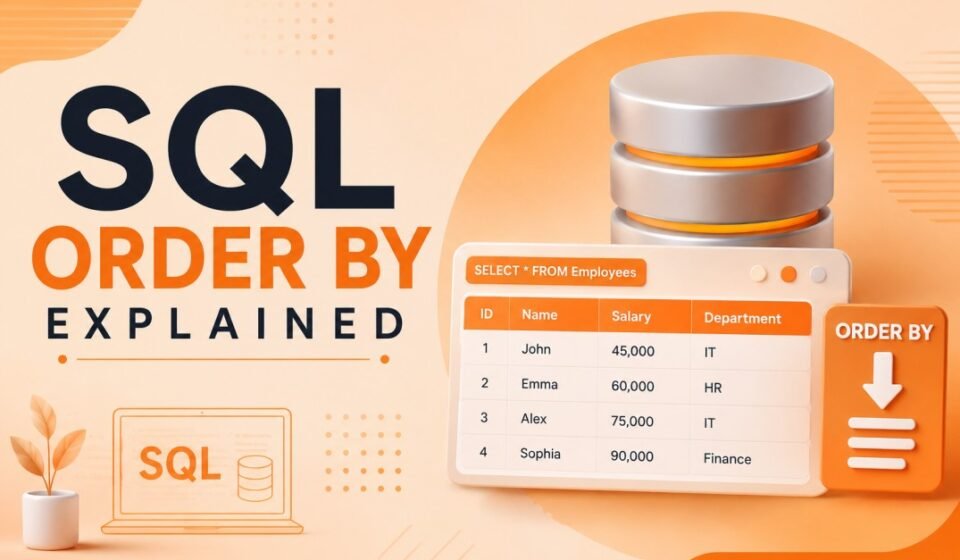

SQL ORDER BY Explained: How to Sort Data Efficiently in SQL Queries
When working with databases, retrieving data is only half the job. In real-world applications,
developers often need records displayed in a meaningful order. Customer names may need to be
listed alphabetically, products may need to be sorted by price, and reports may require the
latest records first.
This is where the SQL ORDER BY clause becomes essential. It allows developers to sort query
results based on one or more columns, making data easier to read, analyze, and present to users.
Whether you are building dashboards, APIs, reporting systems, or business applications,
understanding ORDER BY is a fundamental SQL skill.
In this guide, you will learn how the SQL ORDER BY clause works, its syntax, practical examples,
performance considerations, and best practices used by professional developers.
What is SQL ORDER BY?
The ORDER BY clause is used to sort the result set returned by a SQL query.
Without ORDER BY, SQL does not guarantee the order in which rows are returned.
The database engine decides the retrieval sequence, which may vary between executions.
By using ORDER BY, developers can explicitly control how data should appear in query results.
Sorting can be performed in ascending or descending order and can involve multiple columns.
Basic Syntax of ORDER BY
SELECT column1, column2
FROM table_name
ORDER BY column_name;
The ORDER BY clause is typically written at the end of a SELECT statement after any WHERE,
GROUP BY, or HAVING clauses.
Example Table: Employees
EmployeeID | EmployeeName | Salary
----------------------------------
1          | John         | 50000
2          | Emma         | 75000
3          | Alex         | 60000
4          | Sophia       | 85000
Sorting Data in Ascending Order
Ascending order is the default sorting behavior of ORDER BY.
Numbers are sorted from smallest to largest, while text values are sorted alphabetically.
SELECT EmployeeName, Salary
FROM Employees
ORDER BY Salary;
Result:
John    50000
Alex    60000
Emma    75000
Sophia  85000
You can also explicitly specify ASC.
SELECT EmployeeName, Salary
FROM Employees
ORDER BY Salary ASC;
Both queries produce identical results because ASC is the default sort direction.
Sorting Data in Descending Order
When you need the highest values first, use the DESC keyword.
This is commonly used in reports, dashboards, and ranking systems.
SELECT EmployeeName, Salary
FROM Employees
ORDER BY Salary DESC;
Result:
Sophia  85000
Emma    75000
Alex    60000
John    50000
Descending sorting is frequently used for:
- Top-selling products
- Highest-paid employees
- Latest transactions
- Recent blog posts
- Leaderboard rankings
Sorting Text Data
ORDER BY works not only with numbers but also with text values.
Developers often sort customer names, city names, categories, and product titles.
SELECT EmployeeName
FROM Employees
ORDER BY EmployeeName;
Result:
Alex
Emma
John
Sophia
The database sorts text alphabetically according to the configured collation settings.
Sorting by Multiple Columns
Real-world scenarios often require sorting by more than one column.
In such cases, SQL evaluates the columns from left to right.
SELECT EmployeeName, Department, Salary
FROM Employees
ORDER BY Department ASC, Salary DESC;
In this query:
- Records are first sorted by Department.
- If multiple employees belong to the same department, they are sorted by Salary.
- Higher salaries appear first within each department.
This approach is commonly used in reporting and business intelligence applications.
ORDER BY Using Column Position
SQL allows sorting by column position instead of column names.
SELECT EmployeeName, Salary
FROM Employees
ORDER BY 2 DESC;
Here, the number 2 represents the second selected column, which is Salary.
Although valid SQL, using column positions is generally discouraged because query maintenance
becomes more difficult if the SELECT list changes.
Sorting by Expressions
The ORDER BY clause can sort based on calculated values and expressions.
SELECT ProductName,
       Price,
       Quantity,
       Price * Quantity AS TotalValue
FROM Products
ORDER BY TotalValue DESC;
This query sorts products according to their total inventory value rather than a physical
column stored in the table.
Sorting expressions can be extremely useful when building analytical reports.
ORDER BY with Date Columns
Date sorting is one of the most common use cases in modern applications.
Developers frequently need the latest records displayed first.
SELECT OrderID, OrderDate
FROM Orders
ORDER BY OrderDate DESC;
This query returns the most recent orders at the top of the result set.
Applications such as e-commerce systems, CRM platforms, and content management systems
heavily rely on date-based sorting.
Handling NULL Values
NULL values can affect sorting results depending on the database system being used.
Different database engines may place NULL values differently during sorting operations.
SELECT EmployeeName, Bonus
FROM Employees
ORDER BY Bonus DESC;
Some databases place NULL values first, while others place them last.
Developers should test behavior within their specific database platform.
For more details regarding SQL standards and database behavior, refer to the official
documentation provided by the SQL standards organization and database vendors.
ORDER BY with WHERE Clause
ORDER BY is commonly combined with filtering conditions.
SELECT EmployeeName, Salary
FROM Employees
WHERE Salary > 60000
ORDER BY Salary DESC;
Execution flow:
- Filter rows using WHERE.
- Sort the remaining rows using ORDER BY.
- Return the final result set.
Understanding this sequence helps developers write efficient SQL queries.
ORDER BY with TOP and LIMIT
Many applications only need a small subset of sorted data.
Combining ORDER BY with TOP or LIMIT is a common optimization technique.
SQL Server Example
SELECT TOP 5 EmployeeName, Salary
FROM Employees
ORDER BY Salary DESC;
MySQL Example
SELECT EmployeeName, Salary
FROM Employees
ORDER BY Salary DESC
LIMIT 5;
These queries return the highest-paid employees while avoiding retrieval of unnecessary records.
Performance Considerations
Sorting large datasets can be resource-intensive. Database engines often need additional memory
and processing power to sort millions of rows.
To improve ORDER BY performance:
- Create indexes on frequently sorted columns.
- Avoid sorting unnecessary data.
- Use filtering before sorting whenever possible.
- Retrieve only required columns.
- Combine ORDER BY with LIMIT or TOP when appropriate.
Indexes can significantly reduce sorting overhead, especially when queries repeatedly sort
using the same columns.
Common Mistakes Developers Make
Assuming Natural Order
Many developers assume records will always appear in insertion order.
SQL does not guarantee this behavior unless ORDER BY is explicitly used.
Using Column Positions Excessively
ORDER BY 1 or ORDER BY 2 may work initially but becomes difficult to maintain as queries grow.
Sorting Large Result Sets Unnecessarily
Sorting millions of rows when only a few records are required can negatively impact performance.
Ignoring Indexes
Queries that frequently sort on unindexed columns often become bottlenecks in production systems.
Real-World Example
Imagine an e-commerce platform displaying products to customers.
The business team wants:
- Newest products first
- Highest-rated products first
- Lowest-priced products first
- Best-selling products first
All of these requirements are achieved using ORDER BY.
Without sorting, product listings would appear random and create a poor user experience.
Official SQL Server documentation:
Microsoft SQL Documentation
Conclusion and Next Step
The SQL ORDER BY clause is one of the most frequently used features in database development.
It provides complete control over how query results are presented, making applications more
user-friendly and professional.
From simple alphabetical sorting to complex multi-column ordering, ORDER BY helps developers
organize data efficiently. Understanding ascending and descending sorting, expressions,
date-based ordering, NULL handling, and performance optimization will enable you to write
more effective SQL queries.
Whether you are building enterprise applications, reporting systems, APIs, or analytics
dashboards, mastering SQL ORDER BY is an essential skill that every software developer should
have in their toolkit.
Sorting query results correctly is crucial for UI data presentation and paginated APIs. Learn fundamental to advanced query patterns through our SQL Server Tutorial: Complete Guide for Beginners to Advanced. Combine sorting with basic queries in SELECT Statement Explained, optimize sort memory costs with SQL Indexing Deep Dive, and eliminate costly sort spills using SQL Performance Optimization.