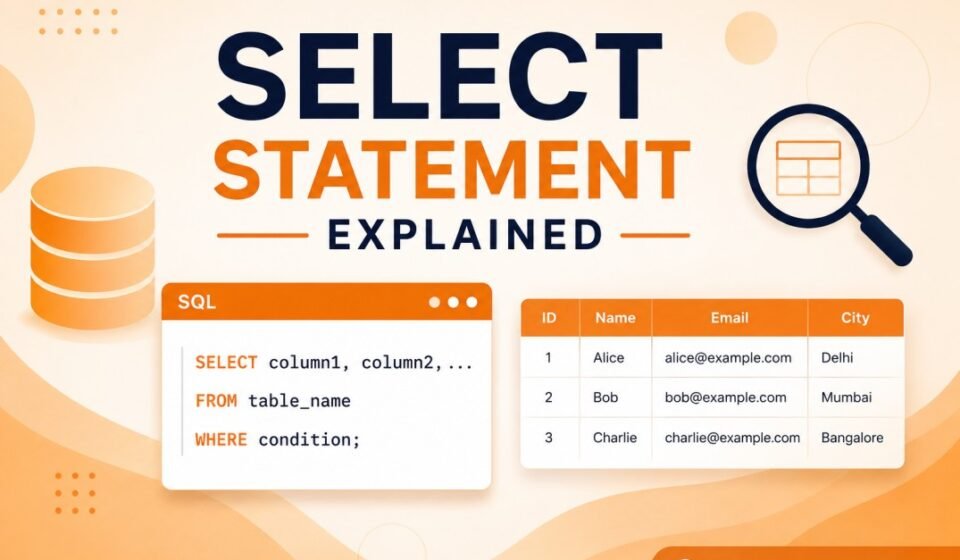

SELECT Statement Explained: Complete SQL Guide for Beginners
If you are starting your SQL learning journey, one of the first commands you will use is SELECT. Understanding SELECT statement explained concepts is important because almost every database operation starts with retrieving information. Whether you are building .NET APIs, dashboards, admin panels, or analytics systems, SELECT queries become part of daily development workflow.
SQL (Structured Query Language) is used for managing and communicating with relational databases. Applications today continuously interact with databases to store and retrieve information. Social media platforms load user profiles, ecommerce applications fetch products, and business systems retrieve reports using SQL queries.
Learning how the SELECT statement works at an early stage makes every future SQL topic easier to understand. From displaying a single record to generating complex business reports, developers rely on SELECT queries throughout the software development lifecycle.
Moreover, mastering SELECT statement explained principles helps you write cleaner, faster, and more maintainable database queries. This knowledge becomes valuable whether you work on small business applications or enterprise-level database systems.
SELECT Statement Explained: SQL Overview for Developers
SQL works as a communication layer between applications and databases. Instead of manually searching data records, developers write queries that instruct database engines what information should be returned.
The SELECT statement is one of the most frequently used SQL commands because applications constantly need to display information to users.
Every modern relational database management system, including SQL Server, MySQL, PostgreSQL, and Oracle, supports the SELECT statement with similar syntax. Although advanced features may vary, the basic principles remain the same across platforms.
In addition, developers often combine SELECT with filtering, sorting, grouping, and aggregation features to build powerful reports and business dashboards. Therefore, understanding its core behavior is essential for writing efficient database applications.
What is a SELECT Statement?
The SELECT statement is used to retrieve data from database tables. You can return complete rows, specific columns, filtered data, sorted records, or aggregated information.
Simple syntax example:
SELECT column_name FROM table_name;
This tells the SQL engine to return data from a specified table.
Unlike commands that insert, update, or delete information, the SELECT statement focuses only on reading data. As a result, it is considered one of the safest SQL operations for beginners to practice.
The SELECT statement can retrieve information from one table or multiple related tables. As your SQL knowledge grows, you will use it together with joins, aggregate functions, and subqueries to solve increasingly complex business requirements.
SELECT Statement Explained with Query Architecture
Understanding SQL query flow helps developers write optimized statements. A query normally follows a sequence where SQL first identifies the table, applies conditions, sorts records, and then returns final results.
Basic SQL query architecture:
SELECT → FROM → WHERE → ORDER BY
Learning query structure early improves debugging and query optimization skills.
Although developers write SELECT before FROM, the database optimizer internally processes different parts of the query in a logical order. Understanding this behavior helps explain why certain queries perform better than others.
Furthermore, knowing the query architecture makes troubleshooting much easier. If a query returns unexpected results, you can inspect each clause individually to determine where the issue occurs.
Basic SELECT Example
Imagine an Employees table containing Name, Department, and Salary columns.
SELECT Name FROM Employees;
This query returns only employee names.
If complete information is required:
SELECT * FROM Employees;
The asterisk symbol returns all columns. Developers generally avoid SELECT * in production because unnecessary data retrieval increases resource consumption.
Returning only the required columns reduces network traffic and improves application performance. Consequently, many coding standards recommend explicitly listing column names instead of using the asterisk.
For example, an employee directory page may only require employee names and departments. Retrieving salary, address, and other unused columns wastes database resources without providing additional value.
Using WHERE with SELECT
Most real applications never fetch all records. Developers usually apply filters.
SELECT Name FROM Employees WHERE Department='IT';
This returns only employees belonging to the IT department.
The WHERE clause limits the number of returned records based on specified conditions. This not only improves readability but also reduces unnecessary processing, especially when working with large tables.
Developers frequently use comparison operators such as =, >, <, >=, <=, and <> together with WHERE. In addition, logical operators like AND, OR, and NOT allow multiple filtering conditions to be combined effectively.
Well-designed filtering becomes even more important in enterprise applications where database tables may contain millions of records. Efficient conditions help reduce execution time and improve the overall user experience.
SELECT Statement Explained Using ORDER BY
Applications often need sorted results for reports and dashboards.
SELECT Name, Salary FROM Employees ORDER BY Salary DESC;
The result displays employee data from highest salary to lowest salary.
The ORDER BY clause sorts records in ascending or descending order. By default, SQL sorts data in ascending order unless the DESC keyword is specified.
Sorting improves readability for users viewing reports, employee lists, product catalogs, and customer records. Therefore, ORDER BY is commonly used in administrative dashboards and reporting systems.
When sorting very large datasets, database indexes can significantly improve performance. However, developers should also monitor execution plans to ensure sorting operations remain efficient.
Why SELECT Matters for Developers
Backend systems execute SELECT statements continuously. User authentication retrieves account details. Ecommerce websites fetch products. Analytics dashboards generate reports. Without SELECT statements, applications cannot display data efficiently.
Good query design also improves scalability and server performance.
From a developer’s perspective, almost every web request eventually results in one or more SELECT queries. Whether an application displays customer profiles, shopping carts, invoices, or transaction history, reliable data retrieval is essential.
Moreover, optimized SELECT queries reduce server workload, improve response times, and provide a smoother experience for end users. Efficient queries become even more important as applications grow and traffic increases.
Enterprise applications often execute thousands of SELECT statements every minute. Consequently, developers should regularly review query performance, indexing strategies, and execution plans to maintain scalability.
Best Practices
- Select only required columns.
- Avoid SELECT * in production.
- Apply WHERE filters whenever possible.
- Use indexes for frequently queried columns.
- Monitor performance for large datasets.
Always write queries with readability in mind. Meaningful formatting and consistent naming conventions make SQL scripts easier for other developers to understand and maintain.
Additionally, test your queries with realistic amounts of data instead of only small sample datasets. A query that performs well with hundreds of rows may behave differently when processing millions of records.
Developers should also review execution plans whenever performance problems occur. These plans reveal expensive operations such as full table scans or unnecessary sorting, making optimization much easier.
As you continue your SQL learning journey, practice writing different types of SELECT queries against sample databases. Experiment with filtering, sorting, and selecting specific columns to strengthen your understanding through hands-on experience.
Ultimately, mastering the SELECT statement explained concepts gives you the confidence to build reliable applications, optimize database performance, and prepare for advanced SQL topics used in professional software development environments.
Another useful practice is understanding the difference between retrieving all available data and requesting only the information required by the application. Efficient SELECT queries reduce memory usage, lower network traffic, and improve overall response time. This approach becomes increasingly valuable as databases continue to grow in size.
Developers should also become familiar with NULL values when writing SELECT statements. A NULL does not represent zero or an empty string; instead, it indicates that no value exists. Understanding how NULL behaves helps prevent unexpected query results and improves application reliability.
When working with production databases, it is a good habit to test new SELECT queries in a development or staging environment first. This minimizes the risk of running expensive queries against live systems and allows developers to verify that the returned data matches business requirements.
Many organizations maintain separate databases for development, testing, and production environments. Practicing SELECT queries in these environments enables developers to experiment safely without affecting real business data or application users.
As databases expand, developers often retrieve data from tables containing millions of rows. In such situations, selecting only the required records becomes critical for maintaining fast application performance. Efficient filtering significantly reduces database workload and improves scalability.
Database administrators frequently analyze slow-running SELECT queries using execution plans and performance monitoring tools. These insights help identify missing indexes, inefficient filtering conditions, or unnecessary sorting operations that can negatively affect application performance.
Another important consideration is data consistency. Since business applications continuously update records, a SELECT query may return different results at different times. Understanding transaction isolation levels becomes increasingly important as you begin working with multi-user enterprise systems.
Developers building REST APIs commonly use SELECT statements to retrieve data before returning JSON responses. Whether fetching customer profiles, order histories, or inventory information, well-written SELECT queries ensure that API responses remain accurate, efficient, and scalable.
Business intelligence and reporting solutions also depend heavily on SELECT statements. Daily sales reports, employee summaries, financial dashboards, and customer analytics all begin by retrieving accurate information from relational databases through carefully designed SQL queries.
During technical interviews, candidates are frequently asked to write basic SELECT queries that include filtering, sorting, and selecting specific columns. Practicing these scenarios improves both SQL knowledge and problem-solving confidence while preparing for software engineering roles.
Although writing a simple SELECT statement is straightforward, developing the habit of writing optimized queries takes experience. Reviewing query execution time, understanding indexing strategies, and following SQL best practices will help you become a more effective database developer.
Finally, continue expanding your SQL knowledge after mastering data retrieval. Topics such as aggregate functions, JOIN operations, GROUP BY, HAVING, window functions, and subqueries all build upon the SELECT statement explained concepts introduced in this guide. A strong understanding of SELECT creates the foundation for every advanced SQL skill you will learn in the future.
Finally, practice writing SELECT queries regularly. The more scenarios you solve, the more confident you become in retrieving accurate information efficiently from relational databases.
Conclusion & Next Steps
Understanding SELECT statement explained concepts creates a strong SQL foundation. Once data retrieval becomes clear, advanced SQL topics like JOIN, GROUP BY, HAVING, and subqueries become easier to understand. SQL skills improve through practical implementation and regular query writing.
Mastering basic querying is the foundation of database management. Build a strong core by following our complete SQL Server Tutorial: Complete Guide for Beginners to Advanced. Once you’re comfortable retrieving data, learn precise filtering with WHERE Clause in SQL Explained, combine multi-table datasets via SQL JOIN Explained, and aggregate insights using SQL GROUP BY Explained in SQL Server.