
Design Patterns in C#: Practical Guide for Developers
Design Patterns in C# give developers proven approaches for solving recurring software design problems without forcing every application into the same architecture. A design pattern does not represent a ready-made library or a piece of code that developers should copy blindly. Instead, it describes a reusable design idea that explains how classes, objects, and responsibilities can work together. C# developers can use patterns when applications grow larger, requirements change frequently, or several components need to communicate without creating tight coupling. Factory, Strategy, Observer, Singleton, and Decorator patterns can make code easier to extend, test, and maintain when developers apply them to the right problems. This guide explains what design patterns are, when to use them, how common patterns work in C#, and which mistakes developers should avoid. The examples focus on practical application development rather than theoretical UML diagrams, so you can understand where each pattern fits into real-world .NET projects.
What Are Design Patterns in C#?
Design patterns provide reusable approaches to common software design problems. They describe structures or collaborations that developers have used successfully across many software projects. A pattern represents a design vocabulary rather than a framework. Developers still need to decide which classes belong in the design, what data each class should own, and whether the additional abstraction provides enough value.
In C#, design patterns commonly involve interfaces, classes, composition, inheritance, delegates, events, dependency injection, and other language features. Modern C# also provides records, generics, nullable reference types, lambda expressions, and pattern matching. These features can simplify some implementations compared with older examples. Microsoft documents pattern matching as a C# language feature for testing values against characteristics, but that feature differs from the broader software design patterns discussed in this article.
The main benefit of a good pattern is controlled change. For example, an application can isolate notification behavior so that developers can add another notification method without modifying unrelated business logic.
Why Use Design Patterns in C# Applications?
A pattern becomes valuable when it solves a genuine design problem. It can separate responsibilities, hide object creation, replace complicated conditional logic with interchangeable strategies, or allow multiple components to react to an event. This approach improves maintainability because developers can understand the intended collaboration instead of tracing a large collection of unrelated methods.
Design Patterns in C# also provide useful communication between team members. When a developer describes a component as a Strategy, the team immediately understands that the component represents interchangeable algorithms. Similarly, a Factory indicates that the application has centralized object-creation logic. This shared vocabulary can make architecture discussions shorter and more precise.
However, developers should not treat patterns as mandatory architecture. Adding interfaces, abstract classes, factories, and multiple implementations for a simple operation can create unnecessary complexity. Choose a pattern when it solves a current problem or supports a clearly expected change, not simply because the pattern appears in a popular design-pattern catalog.
Major Categories of Design Patterns
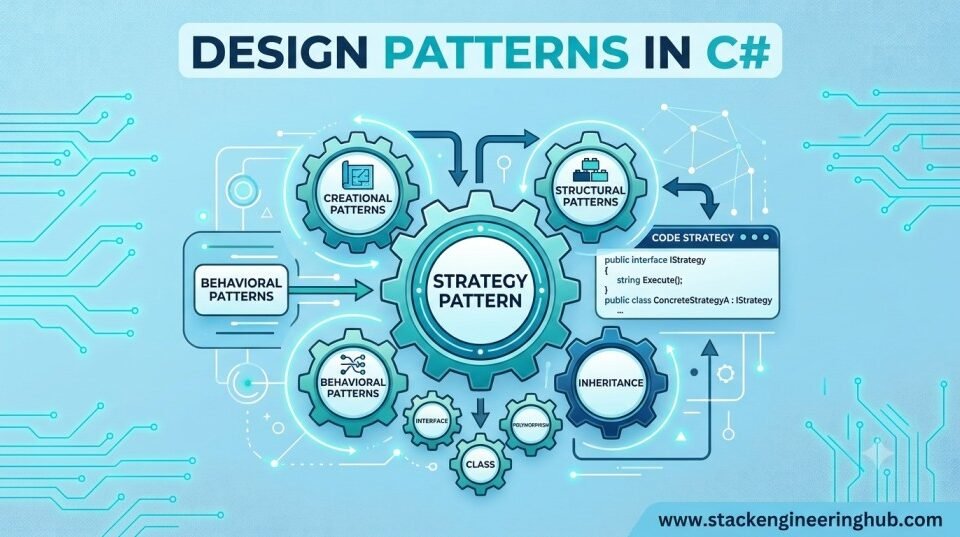
Developers traditionally group many object-oriented design patterns into three broad categories: creational, structural, and behavioral. Creational patterns focus on object creation. Structural patterns deal with relationships between classes and objects. Behavioral patterns describe communication, algorithms, and responsibilities between objects.
- Creational: Factory, Abstract Factory, Builder, Prototype, and Singleton.
- Structural: Adapter, Decorator, Facade, Composite, and Proxy.
- Behavioral: Strategy, Observer, Command, State, Template Method, and Chain of Responsibility.
You do not need to memorize every pattern. A better approach involves learning the problem behind each pattern, understanding its trade-offs, and recognizing situations where the design naturally calls for it.
1. Factory Pattern in C#
The Factory pattern moves object-creation decisions away from the code that consumes an object. This pattern works well when the application chooses a concrete type according to configuration, user input, environment, or another runtime decision. The calling code works with an interface instead of knowing every concrete implementation.
public interface INotification
{
    void Send(string message);
}

public class EmailNotification : INotification
{
    public void Send(string message)
    {
        Console.WriteLine($"Email: {message}");
    }
}

public class SmsNotification : INotification
{
    public void Send(string message)
    {
        Console.WriteLine($"SMS: {message}");
    }
}

public static class NotificationFactory
{
    public static INotification Create(string type)
    {
        return type.ToLowerInvariant() switch
        {
            "email" => new EmailNotification(),
            "sms" => new SmsNotification(),
            _ => throw new ArgumentException("Unsupported notification type")
        };
    }
}
The caller can request a notification without directly constructing a concrete class. In a larger application, the factory can contain more sophisticated creation rules or receive dependencies through dependency injection. Developers should consider a Factory when object construction contains meaningful decisions or setup logic.
2. Strategy Pattern in C#
The Strategy pattern encapsulates interchangeable algorithms behind a common interface. It provides a strong alternative to a growing if-else or switch statement when an application has several ways to perform the same operation.
public interface IDiscountStrategy
{
    decimal Calculate(decimal amount);
}

public class RegularDiscount : IDiscountStrategy
{
    public decimal Calculate(decimal amount) => amount * 0.05m;
}

public class PremiumDiscount : IDiscountStrategy
{
    public decimal Calculate(decimal amount) => amount * 0.15m;
}

public class OrderService
{
    private readonly IDiscountStrategy _discountStrategy;

    public OrderService(IDiscountStrategy discountStrategy)
    {
        _discountStrategy = discountStrategy;
    }

    public decimal GetDiscount(decimal amount)
    {
        return _discountStrategy.Calculate(amount);
    }
}
The OrderService class does not need to understand how every discount works. Developers can introduce a new strategy without rewriting the core service. This approach works well for pricing rules, payment selection, file processing, authentication methods, export formats, and other areas where behavior changes independently.
3. Observer Pattern in C#
The Observer pattern allows one object to publish a change while multiple interested objects react to that change. The publisher does not need to understand the implementation details of every subscriber. C# events and delegates provide language-level features that naturally support observer-style communication.
public class OrderService
{
    public event EventHandler<string>? OrderCreated;

    public void CreateOrder(string orderId)
    {
        Console.WriteLine($"Order {orderId} created.");
        OrderCreated?.Invoke(this, orderId);
    }
}

public class AuditService
{
    public void Subscribe(OrderService orderService)
    {
        orderService.OrderCreated += OnOrderCreated;
    }

    private void OnOrderCreated(object? sender, string orderId)
    {
        Console.WriteLine($"Audit entry created for {orderId}");
    }
}
Observer-style communication works well for notifications, audit logging, UI updates, domain events, and background processing. Developers should pay attention to event subscriptions because long-lived publishers can keep subscribers alive and create memory-management problems when subscriptions remain active longer than necessary.
4. Singleton Pattern in C#
The Singleton pattern ensures that a type has one shared instance and provides a common access point to that instance. It can work for genuinely shared, stateless infrastructure in limited scenarios, but developers frequently overuse it. Global state can make code harder to test because one test may depend on data left behind by another test.
public sealed class AppConfiguration
{
    private static readonly Lazy<AppConfiguration> _instance =
        new(() => new AppConfiguration());

    private AppConfiguration()
    {
    }

    public static AppConfiguration Instance => _instance.Value;

    public string EnvironmentName { get; set; } = "Production";
}
Modern .NET applications often benefit from dependency injection instead of a manually implemented Singleton. Developers can register a dependency with the appropriate service lifetime and inject it into the classes that need it. This approach keeps dependencies visible and usually makes unit testing easier.
5. Decorator Pattern in C#
The Decorator pattern adds responsibilities to an object without changing its original class. A decorator implements the same abstraction as the wrapped object and can perform additional work before or after delegating to that object. This approach works well when applications need to combine optional features without creating a large inheritance hierarchy.
public interface IMessageSender
{
    void Send(string message);
}

public class MessageSender : IMessageSender
{
    public void Send(string message)
    {
        Console.WriteLine($"Sending: {message}");
    }
}

public class LoggingSender : IMessageSender
{
    private readonly IMessageSender _inner;

    public LoggingSender(IMessageSender inner)
    {
        _inner = inner;
    }

    public void Send(string message)
    {
        Console.WriteLine("Log: message send started.");
        _inner.Send(message);
        Console.WriteLine("Log: message send completed.");
    }
}
The same technique can add caching, authorization checks, validation, metrics, retries, or logging. Developers can combine several decorators when the application needs multiple optional behaviors without creating a separate subclass for every possible combination.
How Design Patterns in C# Improve Maintainability
Maintainability depends on making changes local and responsibilities easy to understand. Factory can localize creation rules, Strategy can isolate changing algorithms, Observer can separate publishers from subscribers, Decorator can add cross-cutting behavior, and Repository can separate application logic from persistence concerns. The right choice starts with identifying what changes most frequently.
Consider a payment system that supports credit cards, bank transfers, and wallet payments. Strategy can represent the different payment algorithms because each method performs the same general operation in a different way. A Factory can complement that design when configuration determines which payment object the application should create.
Good design also depends on smaller principles. Interfaces should represent useful abstractions, classes should have focused responsibilities, and dependencies should point toward stable contracts. If a pattern creates more indirection than value, simplify the design. A straightforward class with a clear method can outperform a five-class pattern implementation when the underlying problem rarely changes.
Design Patterns and SOLID Principles
Design patterns and SOLID principles support good object-oriented design, but they serve different purposes. SOLID provides general design principles, while a pattern describes a recurring structure for solving a particular type of problem. For example, Strategy can support the Open/Closed Principle because developers can introduce new algorithms as separate implementations instead of repeatedly modifying one central class.
Dependency inversion also appears frequently in pattern implementations because high-level services can depend on interfaces instead of concrete infrastructure. This approach can improve unit testing because tests can provide controlled implementations. Understanding SOLID principles first makes many patterns easier to evaluate because developers can ask whether a pattern actually improves responsibility boundaries.
Modern .NET development also requires broader architectural thinking. A pattern inside one class cannot solve poor module boundaries, unclear domain responsibilities, inefficient database access, or an unnecessarily complicated deployment model. Use patterns as design tools rather than treating them as complete architecture.
Common Mistakes When Using Design Patterns
- Using patterns everywhere: Not every class needs an interface, factory, or repository. Start with the actual problem.
- Copying old examples blindly: Modern C# and .NET provide language and framework features that can simplify older implementations.
- Ignoring testability: A pattern that hides dependencies can make testing harder instead of easier.
- Creating excessive abstraction: Too many layers increase navigation and maintenance costs.
- Confusing language features with design patterns: C# pattern matching is a language feature, while Factory and Strategy represent software design approaches.
- Ignoring lifecycle and concurrency: Shared objects, events, caches, and services need designs that match their actual application lifetime.
How to Choose the Right Pattern
Start by describing the problem without naming a pattern. Ask whether the difficulty involves object creation, changing behavior, object composition, communication, state management, or data access. If object creation varies, investigate Factory or Builder. When an algorithm varies, consider Strategy. If several objects need notifications, consider Observer or an event-driven approach. When you need to add behavior around an existing object, consider Decorator.
Next, estimate the cost of the abstraction. Consider how many implementations you expect, whether the code needs extensive testing, whether the behavior will change, and whether the development team can understand the design quickly. A pattern succeeds when it makes software easier to change and reason about. More classes do not automatically mean better architecture.
You can strengthen your broader .NET knowledge with related guides on advanced .NET development, ASP.NET Core, microservices architecture in .NET, and Windows Services in C#. For official guidance on .NET design and framework guidelines, see Microsoft Learn.
Best Practices for Design Patterns in C#
- Learn the problem before learning the pattern name.
- Prefer composition when behavior needs to vary independently.
- Use interfaces when they provide a meaningful abstraction.
- Keep constructors and dependencies explicit.
- Use dependency injection for managed service lifetimes in modern .NET applications.
- Write unit tests around important behavior, especially interchangeable strategies and decorators.
- Document unusual pattern choices so future developers understand the reason.
- Review complexity regularly and remove abstractions that no longer provide value.
Conclusion
Design Patterns in C# provide developers with a practical vocabulary for building flexible object-oriented software. Factory helps control object creation, Strategy isolates interchangeable algorithms, Observer supports notifications, Singleton manages a single shared instance when genuinely appropriate, and Decorator adds behavior without modifying the wrapped class. The most important skill is not memorizing pattern diagrams; it is recognizing the design pressure that makes a pattern useful. Start with a real problem, identify what changes, choose the smallest abstraction that solves it, and verify the result through testing and code review. When developers apply Design Patterns in C# carefully, they can improve maintainability, extensibility, testability, and team communication without turning simple code into unnecessary architecture.