
Triggers in SQL Server: Complete Guide with Syntax, Examples, and Best Practices
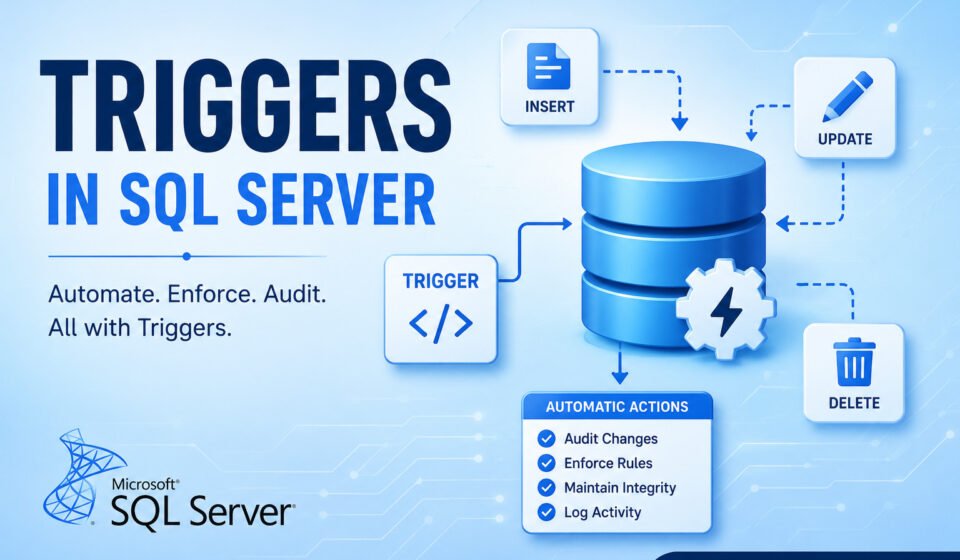
Triggers in SQL Server are powerful database objects that automatically execute when specific events occur within a database. They are commonly used for auditing, enforcing business rules, validating data, tracking changes, and maintaining data integrity.
Many developers initially focus on stored procedures, views, and functions while learning SQL Server. However, triggers play an important role when actions need to happen automatically without requiring changes in application code.
In this guide, you will learn what SQL Server triggers are, their types, syntax, practical examples, use cases, advantages, disadvantages, and best practices. By the end, you will have a clear understanding of when to use triggers and when alternative approaches may be better.
Table of Contents
- What is a Trigger?
- Why Use Triggers?
- Types of Triggers
- Trigger Syntax
- Inserted and Deleted Tables
- Practical Examples
- Best Practices
What is a Trigger in SQL Server?
A trigger is a special type of stored procedure that automatically executes in response to specific database events. Unlike stored procedures, triggers cannot be executed manually using an EXEC statement. Instead, SQL Server automatically fires them when the associated event occurs.
Triggers are attached to tables, views, or database-level events. Whenever an INSERT, UPDATE, DELETE, or certain DDL operation takes place, SQL Server can execute predefined logic through a trigger.
Think of a trigger as an automatic event listener. When a specified event occurs, the trigger reacts immediately and performs the configured action.
Why Use Triggers?
Triggers help automate database operations and enforce rules at the database level. They provide a centralized way to ensure consistency regardless of which application accesses the database.
Common reasons to use triggers include:
- Maintaining audit logs
- Tracking data changes
- Enforcing business rules
- Preventing unauthorized modifications
- Synchronizing related tables
- Performing automatic validations
- Recording historical information
For example, if an employee salary is updated, a trigger can automatically save the previous value into an audit table without requiring changes in application code.
Types of Triggers in SQL Server
SQL Server supports multiple trigger types. Understanding these types helps you choose the right trigger for your requirements.
1. DML Triggers
DML (Data Manipulation Language) triggers fire when data inside a table changes.
They respond to:
- INSERT
- UPDATE
- DELETE
DML triggers are the most commonly used triggers in SQL Server.
Example Use Cases
- Audit employee salary changes
- Track order updates
- Validate business rules
- Prevent accidental deletion
2. AFTER Trigger
An AFTER trigger executes after the triggering SQL statement completes successfully.
If the original INSERT, UPDATE, or DELETE operation fails, the AFTER trigger will not execute.
Example
CREATE TRIGGER trg_AfterInsert
ON Employees
AFTER INSERT
AS
BEGIN
    PRINT 'Employee inserted successfully';
END;
The trigger runs only after the new employee record has been inserted successfully.
3. INSTEAD OF Trigger
An INSTEAD OF trigger executes instead of the triggering action. SQL Server does not perform the original operation unless it is explicitly included inside the trigger.
These triggers are often used with views and complex validation requirements.
Example
CREATE TRIGGER trg_InsteadOfDelete
ON Employees
INSTEAD OF DELETE
AS
BEGIN
    PRINT 'Delete operation blocked';
END;
In this case, SQL Server prevents deletion because the trigger replaces the DELETE statement.
4. DDL Triggers
DDL (Data Definition Language) triggers respond to schema-level changes.
Examples include:
- CREATE TABLE
- ALTER TABLE
- DROP TABLE
- CREATE PROCEDURE
- DROP PROCEDURE
Organizations often use DDL triggers to monitor schema changes in production environments.
Example
CREATE TRIGGER trg_DDLChanges
ON DATABASE
FOR CREATE_TABLE
AS
BEGIN
    PRINT 'A new table was created';
END;
5. LOGON Triggers
Logon triggers execute when users establish a connection to SQL Server.
Administrators use these triggers for:
- Connection auditing
- Restricting access times
- Security monitoring
- Enforcing login policies
Basic Trigger Syntax
The general syntax for creating a trigger is shown below:
CREATE TRIGGER TriggerName
ON TableName
AFTER INSERT, UPDATE, DELETE
AS
BEGIN

    -- Trigger Logic

END;
The CREATE TRIGGER statement defines the trigger. The ON clause specifies the table or view, while the event section determines when the trigger fires.
Understanding Inserted and Deleted Tables
SQL Server automatically creates two logical tables inside DML triggers:
- inserted
- deleted
These tables exist only during trigger execution and allow access to affected rows.
Inserted Table
Contains newly inserted rows or updated values.
Deleted Table
Contains removed rows or previous values before an update.
For UPDATE operations:
- Old values appear in deleted
- New values appear in inserted
Example
SELECT *
FROM inserted;

SELECT *
FROM deleted;
These logical tables are essential for auditing and data comparison scenarios.
Practical Example: Audit Employee Salary Changes
One of the most common trigger implementations is maintaining an audit trail.
CREATE TABLE EmployeeAudit
(
    AuditID INT IDENTITY(1,1),
    EmployeeID INT,
    OldSalary DECIMAL(10,2),
    NewSalary DECIMAL(10,2),
    ChangedDate DATETIME
);
Now create the trigger:
CREATE TRIGGER trg_SalaryAudit
ON Employees
AFTER UPDATE
AS
BEGIN

    INSERT INTO EmployeeAudit
    (
        EmployeeID,
        OldSalary,
        NewSalary,
        ChangedDate
    )
    SELECT
        d.EmployeeID,
        d.Salary,
        i.Salary,
        GETDATE()
    FROM deleted d
    INNER JOIN inserted i
        ON d.EmployeeID = i.EmployeeID;

END;
Whenever an employee salary changes, the trigger automatically records both the old and new values in the audit table.
Practical Example: Prevent Record Deletion
Sometimes organizations do not want users to delete critical records from important tables. An INSTEAD OF DELETE trigger can prevent accidental or unauthorized deletions.
CREATE TRIGGER trg_PreventDelete
ON Employees
INSTEAD OF DELETE
AS
BEGIN

    RAISERROR
    (
        'Employee records cannot be deleted.',
        16,
        1
    );

END;
Whenever a DELETE statement is executed against the Employees table, SQL Server will stop the operation and return the custom error message.
Practical Example: Validate Business Rules
Triggers can also validate business requirements before data is committed.
Suppose employees cannot have a salary less than 10,000.
CREATE TRIGGER trg_ValidateSalary
ON Employees
AFTER INSERT, UPDATE
AS
BEGIN

    IF EXISTS
    (
        SELECT 1
        FROM inserted
        WHERE Salary < 10000
    )
    BEGIN

        RAISERROR
        (
            'Salary cannot be less than 10000',
            16,
            1
        );

        ROLLBACK TRANSACTION;

    END

END;
This trigger ensures that invalid salary values never enter the database.
Advantages of Triggers in SQL Server
- Automatic execution without application code changes
- Centralized business rule enforcement
- Improved data integrity
- Useful for auditing and logging
- Can monitor database schema changes
- Works regardless of application technology
- Helps maintain consistency across systems
Disadvantages of Triggers in SQL Server
- Can impact database performance
- Hidden logic may confuse developers
- Difficult to debug in complex systems
- May increase transaction duration
- Nested triggers can become complicated
- Improper design can create maintenance challenges
Best Practices for Using Triggers
Although triggers are powerful, they should be used carefully. Poorly designed triggers can negatively affect performance and maintainability.
1. Keep Trigger Logic Simple
Avoid writing large amounts of business logic inside triggers. Keep them focused on a specific task.
2. Handle Multiple Rows
Triggers execute once per statement, not once per row. Always write trigger code that supports multiple affected rows.
Incorrect approach:
SELECT @EmployeeID = EmployeeID
FROM inserted;
Better approach:
INSERT INTO AuditTable
SELECT *
FROM inserted;
3. Avoid Long Running Operations
Triggers execute within the same transaction as the triggering statement. Long-running operations may slow down users and applications.
4. Prevent Infinite Loops
Be careful when triggers modify the same table that fired them. This can create recursive execution.
5. Use Error Handling
Implement proper validation and transaction management to avoid unexpected failures.
6. Test Performance Thoroughly
Before deploying triggers into production, test their impact on large datasets and high-transaction environments.
When Should You Use Triggers?
Triggers are most useful in scenarios where actions must occur automatically whenever data changes.
Good Use Cases
- Audit logging
- Change tracking
- Data validation
- Security monitoring
- Compliance requirements
- Historical record maintenance
Situations to Avoid
- Complex business workflows
- Heavy reporting operations
- Long-running external API calls
- Tasks better suited for stored procedures
Triggers vs Stored Procedures
| Feature | Trigger | Stored Procedure |
|---|---|---|
| Execution | Automatic | Manual |
| User Control | No | Yes |
| Event Driven | Yes | No |
| Common Usage | Auditing & Validation | Business Operations |
| Performance Impact | Can be Hidden | More Predictable |
Common SQL Server Trigger Interview Questions
What is a Trigger?
A trigger is a special stored procedure that executes automatically when specific database events occur.
What are the Types of Triggers?
SQL Server supports DML triggers, DDL triggers, AFTER triggers, INSTEAD OF triggers, and LOGON triggers.
What are Inserted and Deleted Tables?
They are logical tables available during trigger execution that store affected rows.
Can a Trigger Handle Multiple Rows?
Yes. Triggers should always be written to support multiple-row operations.
What is the Difference Between AFTER and INSTEAD OF Triggers?
AFTER triggers execute after the event succeeds. INSTEAD OF triggers replace the original action.
Conclusion and Next Step
Triggers in SQL Server are powerful automation tools that help enforce business rules, maintain audit trails, validate data, and improve database consistency. Because they execute automatically in response to database events, they provide a reliable mechanism for handling tasks that must occur whenever data changes.
However, triggers should be implemented carefully. Excessive logic inside triggers can reduce performance and make systems harder to maintain. The best approach is to keep triggers focused, efficient, and thoroughly tested.
For most auditing, validation, and change-tracking requirements, SQL Server triggers remain one of the most valuable features available to database developers and administrators.
Automating auditing routines and enforcing background business logic is best handled via database triggers. To master advanced server-side programming, read our comprehensive guide on Advanced SQL Server: Performance Tuning, Optimization & Enterprise Querying. Compare event-driven triggers with imperative routines in Stored Procedure in SQL Server, maintain system consistency following ACID Properties in DBMS, and rollback failing trigger actions using SQL Transactions Explained.