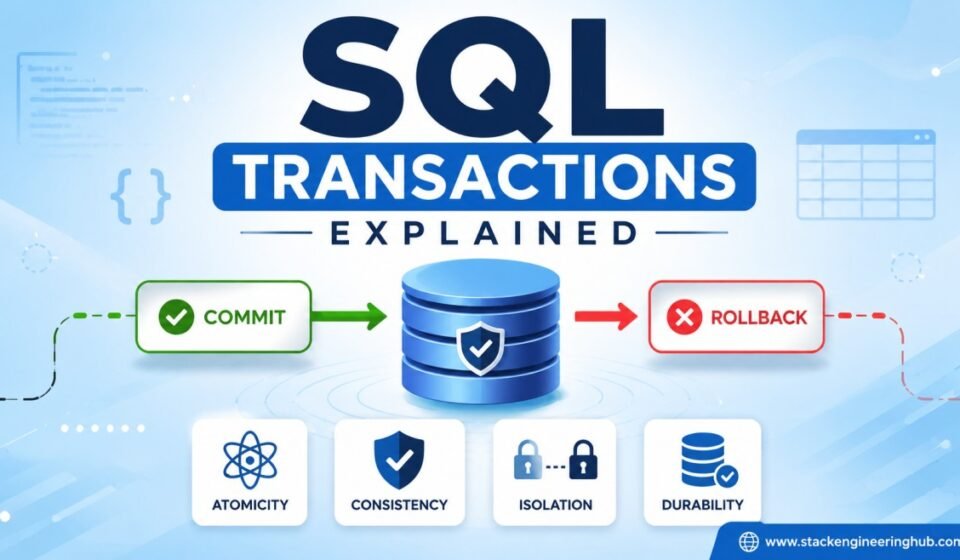

SQL Transactions Explained: ACID Properties, COMMIT, ROLLBACK, and SAVEPOINT
Modern applications process thousands of database operations every second. Whether you are transferring money between bank accounts, placing an online order, updating inventory, or saving employee information, every operation must complete successfully without leaving the database in an inconsistent state. This is where SQL transactions become essential. A transaction groups one or more SQL statements into a single logical unit of work. Either all operations succeed together or none of them are permanently saved. In this article, you will learn SQL transactions explained in a simple and practical way, including ACID properties, COMMIT, ROLLBACK, SAVEPOINT, transaction examples, and best practices that every SQL developer should understand.
What is a SQL Transaction?
A SQL transaction is a sequence of one or more SQL statements executed as a single unit. If every statement executes successfully, the transaction is permanently saved. If any statement fails, the entire transaction can be rolled back, ensuring that the database remains accurate and consistent.
Think of a transaction as a contract. Either every required action is completed successfully, or everything is cancelled. Partial updates are never acceptable for critical business operations.
Example Scenario
Imagine transferring ₹5,000 from Account A to Account B. The process includes two operations:
- Deduct ₹5,000 from Account A.
- Add ₹5,000 to Account B.
If the first operation succeeds but the second fails because of a system crash, money disappears from the database. A SQL transaction prevents this problem by treating both operations as one unit.
Why Are SQL Transactions Important?
Transactions ensure data integrity even when hardware failures, application bugs, or network interruptions occur. They are widely used in banking systems, healthcare applications, ERP software, inventory management systems, airline booking platforms, and e-commerce websites.
Without transactions, databases could easily become inconsistent, resulting in incorrect reports, duplicate records, or financial losses.
Common Use Cases
- Online banking transfers
- Order processing systems
- Payroll management
- Inventory updates
- Hospital management systems
- Student admission systems
- Ticket booking platforms
Understanding the Transaction Flow
Every SQL transaction follows a predictable lifecycle from beginning to completion.
START TRANSACTION
       |
Execute SQL Statements
       |
   Success?
   /      \
 Yes      No
 |         |
COMMIT   ROLLBACK
If every SQL statement executes successfully, COMMIT permanently saves the changes. If an error occurs, ROLLBACK restores the database to its previous consistent state.
SQL Transaction Commands
1. BEGIN TRANSACTION
BEGIN TRANSACTION starts a new transaction. All SQL statements executed after this command become part of the same transaction until COMMIT or ROLLBACK is executed.
BEGIN TRANSACTION;

UPDATE Employees
SET Salary = Salary + 5000
WHERE EmployeeID = 101;

COMMIT;
2. COMMIT
The COMMIT statement permanently saves every change made during the current transaction. Once committed, the changes cannot be undone using ROLLBACK.
BEGIN TRANSACTION;

INSERT INTO Departments
VALUES (15,'Research');

COMMIT;
After COMMIT executes successfully, the new department becomes a permanent part of the database.
3. ROLLBACK
ROLLBACK cancels every modification made during the transaction. This command is commonly used when an error occurs or when business validation fails.
BEGIN TRANSACTION;

DELETE FROM Employees
WHERE EmployeeID=110;

ROLLBACK;
Since the transaction is rolled back, EmployeeID 110 remains in the Employees table.
4. SAVEPOINT
A SAVEPOINT creates a checkpoint inside a transaction. Instead of rolling back the entire transaction, developers can return to a specific point while preserving earlier successful operations.
BEGIN TRANSACTION;

INSERT INTO Orders VALUES (101);

SAVEPOINT OrderCreated;

UPDATE Inventory
SET Quantity = Quantity - 1;

ROLLBACK TO OrderCreated;

COMMIT;
In this example, the inventory update is cancelled while the order insertion remains because the rollback occurs only to the savepoint.
Understanding ACID Properties
The reliability of SQL transactions is based on four fundamental principles known as ACID properties. Every relational database management system follows these principles to guarantee reliable data processing.
A — Atomicity
Atomicity means “all or nothing.” Every statement inside a transaction succeeds together or every statement is cancelled. There is no partial completion.
Example
Debit Account A
Credit Account B
If the second operation fails, the debit operation is automatically reversed.
Coding Example
BEGIN TRANSACTION;

UPDATE Accounts
SET Balance = Balance - 5000
WHERE AccountID = 1;

UPDATE Accounts
SET Balance = Balance + 5000
WHERE AccountID = 2;

COMMIT;
If either UPDATE statement fails, the database administrator or application can issue a ROLLBACK to ensure neither balance is changed.
C — Consistency
Consistency ensures that every transaction moves the database from one valid state to another valid state. Database rules, constraints, and relationships remain intact before and after the transaction.
For example, if a foreign key constraint prevents orphan records, a transaction cannot violate that rule. If it does, the entire transaction fails and can be rolled back.
I — Isolation
Isolation ensures that multiple transactions running at the same time do not interfere with one another. Each transaction behaves as though it is executing independently, even when many users are accessing the same database simultaneously.
For example, imagine two customers attempting to purchase the last available product at exactly the same time. Without proper transaction isolation, both customers might successfully place the order, resulting in negative inventory. Isolation prevents this situation by controlling how concurrent transactions interact.
Example
Transaction A:
BEGIN TRANSACTION;

UPDATE Products
SET Quantity = Quantity - 1
WHERE ProductID = 10;

COMMIT;
While Transaction A is updating the inventory, another transaction may have to wait depending on the configured isolation level.
D — Durability
Durability guarantees that once a transaction is committed, the changes remain permanent even if the database server crashes immediately afterward. Database management systems achieve this by writing committed transactions to transaction logs before confirming success.
This property is especially important for banking systems, payment gateways, and enterprise applications where losing committed data is unacceptable.
Real-World Banking Example
A banking application provides one of the best examples of SQL transactions. Consider transferring ₹10,000 from Account A to Account B.
BEGIN TRANSACTION;

UPDATE Accounts
SET Balance = Balance - 10000
WHERE AccountID = 101;

UPDATE Accounts
SET Balance = Balance + 10000
WHERE AccountID = 202;

COMMIT;
If the second UPDATE statement fails due to a server error or network interruption, the transaction should be rolled back.
ROLLBACK;
This guarantees that money is never deducted from one account without being credited to the other account.
SQL Transaction Example Using Multiple Tables
Transactions become even more important when multiple tables are updated together.
BEGIN TRANSACTION;

INSERT INTO Orders
VALUES (1001,1,'2026-07-20');

UPDATE Inventory
SET Quantity = Quantity - 1
WHERE ProductID = 15;

INSERT INTO OrderHistory
VALUES (1001,'Order Created');

COMMIT;
If updating the inventory fails because the product is out of stock, the order should not exist in the database. Rolling back the transaction ensures that all three operations succeed together or fail together.
Transaction States
Every transaction passes through several states during its lifecycle.
- Active – SQL statements are currently executing.
- Partially Committed – All SQL statements have completed successfully, but the transaction has not yet been permanently saved.
- Committed – Changes are permanently stored in the database.
- Failed – One or more SQL statements have failed.
- Aborted – The transaction has been rolled back.
Common Transaction Problems
1. Dirty Read
A dirty read occurs when one transaction reads data that has not yet been committed by another transaction. If the first transaction is rolled back, the second transaction has used invalid data.
2. Non-Repeatable Read
A non-repeatable read occurs when the same query returns different results because another transaction modified the data between reads.
3. Phantom Read
A phantom read happens when additional rows appear because another transaction inserted new records while the first transaction was still running.
Database isolation levels help prevent these concurrency issues.
Transaction Isolation Levels
SQL Server and other relational database systems provide different isolation levels to balance consistency and performance.
| Isolation Level | Dirty Read | Non-Repeatable Read | Phantom Read |
|---|---|---|---|
| Read Uncommitted | Possible | Possible | Possible |
| Read Committed | No | Possible | Possible |
| Repeatable Read | No | No | Possible |
| Serializable | No | No | No |
| Snapshot | No | No | No |
Choosing the appropriate isolation level depends on application requirements. Higher isolation provides better consistency but may reduce concurrency and increase locking.
Best Practices for SQL Transactions
- Keep transactions as short as possible.
- Commit immediately after successful operations.
- Always handle errors using TRY…CATCH in SQL Server.
- Avoid user interaction during active transactions.
- Use SAVEPOINT for large and complex transactions.
- Never leave transactions open for long periods.
- Monitor deadlocks in high-concurrency applications.
- Choose the appropriate isolation level based on business requirements.
Performance Tips
Although transactions improve reliability, poorly designed transactions can reduce database performance. Long-running transactions hold locks for extended periods, block other users, and increase deadlock chances.
Developers should update only the required rows, use indexes efficiently, minimize transaction duration, and avoid unnecessary database operations inside a transaction.
Common Mistakes Developers Make
- Forgetting to commit transactions.
- Ignoring rollback logic after failures.
- Performing lengthy calculations inside transactions.
- Updating unnecessary rows.
- Leaving transactions open while waiting for user input.
- Not handling exceptions properly.
- Using the highest isolation level without understanding its performance impact.
Conclusion and Next Step
Understanding SQL transactions is essential for every database developer. Transactions ensure that related SQL operations execute safely, accurately, and consistently. Features such as COMMIT, ROLLBACK, and SAVEPOINT allow developers to control how database changes are saved or reversed. Combined with the ACID properties—Atomicity, Consistency, Isolation, and Durability—transactions provide the foundation for reliable database systems. Whether you are building banking software, e-commerce platforms, healthcare applications, or enterprise business solutions, mastering SQL transactions will help you write safer, more robust, and production-ready database code.
Managing transactional boundaries guarantees data consistency during multi-step database operations. Deepen your enterprise database knowledge with Advanced SQL Server: Performance Tuning, Optimization & Enterprise Querying. Learn the theoretical foundations in ACID Properties in DBMS, execute transactional code inside a Stored Procedure in SQL Server, and manage rollback handling in Triggers in SQL Server.
Frequently Asked Questions (FAQs)
What is a SQL transaction?
A SQL transaction is a group of SQL statements executed as a single unit. Either every statement succeeds or the entire transaction is rolled back.
What does COMMIT do?
COMMIT permanently saves all changes made during the current transaction.
What is the purpose of ROLLBACK?
ROLLBACK cancels all uncommitted changes and restores the database to its previous consistent state.
What is SAVEPOINT?
SAVEPOINT creates a checkpoint inside a transaction so developers can roll back only a portion of the transaction instead of the entire transaction.
Why are ACID properties important?
ACID properties ensure reliability, consistency, concurrency control, and permanent data storage for every transaction.
Official Documentation
To learn more about transactions in SQL Server, visit the official Microsoft documentation: Transactions (Transact-SQL).