Dependency Injection in ASP.NET Core: Simplifying Scalable Application Development

Dependency Injection in ASP.NET Core
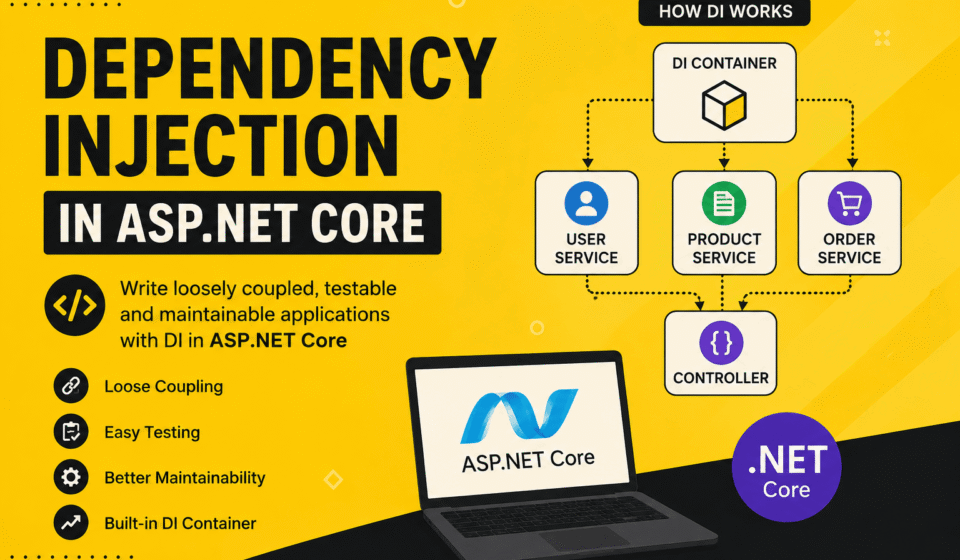
Dependency Injection in ASP.NET Core is one of the most important concepts for modern .NET developers. It helps developers create loosely coupled, scalable, maintainable, and testable applications without hard dependencies between classes. In enterprise-level applications, Dependency Injection plays a major role in improving architecture quality and reducing code complexity.
ASP.NET Core comes with a built-in Dependency Injection container that allows developers to register and manage services directly from the application startup configuration. This feature makes application development faster, cleaner, and easier to maintain in long-term projects.
What is Dependency Injection?
Dependency Injection, commonly called DI, is a software design pattern where objects receive their dependencies from external sources instead of creating them internally. In simple words, instead of creating an object manually using the new keyword inside a class, the framework automatically provides the required object.
This approach improves flexibility because developers can easily replace one implementation with another without changing the dependent class. Dependency Injection also helps during unit testing because mock services can be injected during test execution.
Traditional Approach Without Dependency Injection
In traditional programming, classes directly create their dependent objects internally. This creates tight coupling between components and makes code difficult to maintain.
public class UserController
{
    private UserService _service = new UserService();
}
The above approach tightly couples the controller with the service class.
Modern Approach With Dependency Injection
With Dependency Injection in ASP.NET Core, dependencies are provided automatically through constructor injection.
public class UserController
{
    private readonly IUserService _service;

    public UserController(IUserService service)
    {
        _service = service;
    }
}
This makes the code cleaner, reusable, and easier to test.
Why Developers Use Dependency Injection
Dependency Injection provides multiple advantages for modern software development. It is widely used in enterprise applications, cloud-native solutions, and microservices architecture.
- Reduces tight coupling between classes
- Improves code maintainability
- Makes unit testing easier
- Supports clean architecture principles
- Improves scalability of applications
- Allows easier replacement of services
- Enhances readability and project structure
Built-in IoC Container in ASP.NET Core
ASP.NET Core includes a built-in Inversion of Control (IoC) container. Developers can register services inside the Program.cs file and inject them wherever required.
The framework automatically resolves dependencies at runtime.
builder.Services.AddScoped<IUserService, UserService>();
The above code registers UserService with the interface IUserService.
Service Lifetimes in ASP.NET Core
ASP.NET Core provides three main service lifetimes that control how objects are created and reused inside the application.
1. Singleton Lifetime
Singleton creates only one instance for the entire application lifecycle. The same object is reused everywhere.
builder.Services.AddSingleton<ILoggingService, LoggingService>();
- Best for caching services
- Suitable for shared configurations
- Improves performance for reusable services
2. Scoped Lifetime
Scoped services create one instance per HTTP request. This is the most commonly used lifetime in ASP.NET Core web applications.
builder.Services.AddScoped<IUserService, UserService>();
- Best for database-related operations
- Useful for Entity Framework DbContext
- Safe for request-based processing
3. Transient Lifetime
Transient creates a new instance every time the service is requested.
builder.Services.AddTransient<IEmailService, EmailService>();
- Suitable for lightweight services
- Good for temporary operations
- Creates fresh instances repeatedly
Real-World Example of Dependency Injection
Suppose you are building an e-commerce application. Multiple components such as payment processing, email notifications, product management, and authentication services need to communicate with controllers.
Instead of creating objects manually inside every controller, Dependency Injection allows the framework to provide services automatically.
This architecture improves scalability and simplifies future modifications.
Constructor Injection in ASP.NET Core
Constructor Injection is the most recommended way to implement Dependency Injection in ASP.NET Core.
public class ProductController : Controller
{
    private readonly IProductService _productService;

    public ProductController(IProductService productService)
    {
        _productService = productService;
    }
}
The framework automatically injects the required service when the controller object is created.
Benefits of Dependency Injection
- Cleaner project architecture
- Improved code organization
- Easy testing using mock services
- Better scalability for enterprise applications
- Supports SOLID principles
- Improves application maintainability
Important Note
Choosing the correct service lifetime is extremely important. Using Singleton incorrectly for database services may create memory and concurrency issues. Developers should carefully select service lifetimes based on application requirements.
Best Practices for Dependency Injection
- Use interfaces for service abstraction
- Avoid injecting too many dependencies into one class
- Use Scoped lifetime for database contexts
- Keep services focused on single responsibilities
- Follow SOLID design principles
Conclusion and Next step
Dependency Injection in ASP.NET Core is an essential concept for building modern, scalable, and maintainable applications. It simplifies service management, improves code quality, and makes applications easier to test and extend. Whether you are building APIs, enterprise solutions, or microservices, understanding Dependency Injection is necessary for becoming a professional ASP.NET Core developer.
Clean architecture relies heavily on effective service lifetimes and loose coupling. To see how Dependency Injection integrates into the bigger picture, explore our master ASP.NET Core Tutorial: The Complete Guide for Beginners to Advanced. Learn how services plug into the execution flow with Middleware in ASP.NET Core Explained, manage configurations via What is appsettings.json in ASP.NET Core, and organize your components following ASP.NET Core Folder Structure Explained.
Official Documentation:
Microsoft Dependency Injection Docs