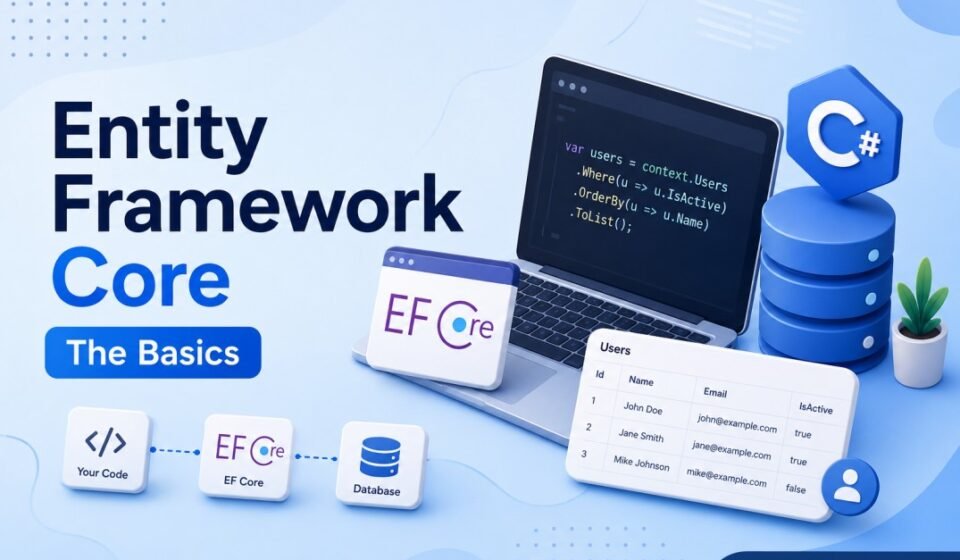

Mastering Entity Framework Core Basics for Modern ASP.NET Core Applications
Building database-driven applications is one of the most common tasks in modern software development. Whether you are creating a REST API, enterprise application, or microservice architecture, database access plays a major role. Writing raw SQL queries for every operation can quickly become repetitive and difficult to maintain.
This is where Entity Framework Core becomes extremely useful. Entity Framework Core, commonly called EF Core, is a lightweight, open-source, cross-platform Object Relational Mapper (ORM) developed by Microsoft. It allows developers to work with databases using C# objects instead of manually writing SQL queries.
In this guide, you will learn Entity Framework Core basics, understand how it works with ASP.NET Core, create models, configure DbContext, run migrations, and perform CRUD operations using clean and maintainable code.
What is Entity Framework Core?
Entity Framework Core is an ORM framework for .NET applications. It maps database tables to C# classes and database records to objects. This approach helps developers focus more on business logic rather than repetitive database code.
EF Core supports multiple database providers including SQL Server, MySQL, PostgreSQL, SQLite, and Oracle. It is widely used in ASP.NET Core Web API and enterprise-level backend systems.
Key Features of EF Core
- Cross-platform support
- LINQ query support
- Automatic migrations
- Change tracking
- Relationship mapping
- Dependency injection integration
- Asynchronous database operations
Why Developers Use Entity Framework Core
Many developers prefer EF Core because it increases productivity and reduces boilerplate code. Instead of manually opening database connections, creating commands, and mapping records, EF Core handles these operations automatically.
Here are some major advantages:
- Faster development process
- Cleaner and maintainable code
- Easy integration with ASP.NET Core
- Database schema versioning through migrations
- Strong typing and compile-time validation
If you are already working with ASP.NET Core applications, learning EF Core is an essential backend development skill.
Installing Entity Framework Core
To start using Entity Framework Core basics in your project, you first need to install the required NuGet packages.
Install Required Packages
Open the Package Manager Console in Visual Studio and run the following commands:
Install-Package Microsoft.EntityFrameworkCore
Install-Package Microsoft.EntityFrameworkCore.SqlServer
Install-Package Microsoft.EntityFrameworkCore.Tools
These packages provide the core EF functionality, SQL Server provider, and migration tools.
Creating Your First Entity Model
In EF Core, models represent database tables. Each class becomes a table, and properties become columns.
Example Student Model
public class Student
{
    public int Id { get; set; }
    public string Name { get; set; }
    public string Email { get; set; }
    public int Age { get; set; }
}
In this example:
- Student represents the table name
- Id becomes the primary key automatically
- Other properties become table columns
EF Core follows conventions by default, which reduces manual configuration.
Understanding DbContext
DbContext is one of the most important classes in Entity Framework Core. It manages database connections, tracks entity changes, and executes queries.
Create ApplicationDbContext
using Microsoft.EntityFrameworkCore;

public class ApplicationDbContext : DbContext
{
    public ApplicationDbContext(DbContextOptions<ApplicationDbContext> options)
        : base(options)
    {
    }

    public DbSet<Student> Students { get; set; }
}
The DbSet property represents a table in the database.
You must also register DbContext in Program.cs.
builder.Services.AddDbContext<ApplicationDbContext>(options =>
    options.UseSqlServer(builder.Configuration.GetConnectionString("DefaultConnection")));
Configuring Connection String
Database connection settings are usually stored inside appsettings.json.
{
  "ConnectionStrings": {
    "DefaultConnection": "Server=.;Database=StudentDb;Trusted_Connection=True;TrustServerCertificate=True"
  }
}
This keeps configuration clean and manageable.
Entity Framework Core Migrations
One of the most powerful features of EF Core is migrations. Migrations help developers create and update database schemas directly from C# classes.
Create Initial Migration
Add-Migration InitialCreate
Update Database
Update-Database
EF Core will automatically generate the database tables based on your models.
This approach is called Code First development.
Performing CRUD Operations
CRUD stands for Create, Read, Update, and Delete. These are the most common database operations in web applications.
Create Record
var student = new Student
{
    Name = "Rahul",
    Email = "rahul@example.com",
    Age = 22
};

_context.Students.Add(student);
await _context.SaveChangesAsync();
Read Records
var students = await _context.Students.ToListAsync();
Update Record
var student = await _context.Students.FindAsync(1);
student.Name = "Updated Name";

await _context.SaveChangesAsync();
Delete Record
var student = await _context.Students.FindAsync(1);

_context.Students.Remove(student);
await _context.SaveChangesAsync();
These operations are simple, readable, and easy to maintain.
Using LINQ with EF Core
Language Integrated Query (LINQ) is another major advantage of EF Core. Developers can write strongly typed database queries using C# syntax.
Example LINQ Query
var students = await _context.Students
    .Where(s => s.Age > 18)
    .OrderBy(s => s.Name)
    .ToListAsync();
EF Core automatically converts LINQ queries into SQL queries.
Entity Relationships in EF Core
Real-world applications usually contain relationships between entities.
One-to-Many Relationship Example
public class Department
{
    public int Id { get; set; }
    public string Name { get; set; }

    public List<Student> Students { get; set; }
}

public class Student
{
    public int Id { get; set; }
    public string Name { get; set; }

    public int DepartmentId { get; set; }
    public Department Department { get; set; }
}
EF Core can automatically detect relationships using navigation properties and foreign keys.
Best Practices for Entity Framework Core
1. Use Async Methods
Always prefer asynchronous methods like ToListAsync and SaveChangesAsync for better application performance.
2. Avoid Loading Unnecessary Data
Select only required columns instead of retrieving complete entities.
3. Use Repository Pattern Carefully
EF Core already implements repository and unit of work patterns internally. Avoid unnecessary abstraction unless your architecture requires it.
4. Apply Migrations Properly
Keep migrations organized and review generated SQL before deploying to production.
5. Use Dependency Injection
ASP.NET Core dependency injection makes DbContext management efficient and maintainable.
Common Mistakes Beginners Make
- Forgetting SaveChangesAsync()
- Using synchronous methods in APIs
- Ignoring migration history
- Loading large datasets unnecessarily
- Keeping DbContext alive too long
Avoiding these mistakes can significantly improve application stability and performance.
Conclusion and Next step
Understanding Entity Framework Core basics is an important step for every ASP.NET Core developer. EF Core simplifies database interactions, improves productivity, and helps developers build scalable applications with clean architecture.
From defining models and configuring DbContext to migrations and CRUD operations, EF Core provides a modern and developer-friendly approach to data access in .NET applications.
Once you become comfortable with the basics, you can explore advanced topics such as performance optimization, caching, raw SQL queries, stored procedures, and complex relationship mapping.
If you are building modern ASP.NET Core applications in 2026, Entity Framework Core is a skill you should absolutely master.
Object-Relational Mapping (ORM) bridges C# domain models with relational database engines seamlessly. Enhance your enterprise data access patterns with Advanced .NET Development: Complete Guide for Enterprise Applications. Build database schemas programmatically with Code First Approach in EF Core, implement data operations in Master CRUD Operations in ASP.NET Core, and configure connection strings securely in Database Connection in ASP.NET Core.