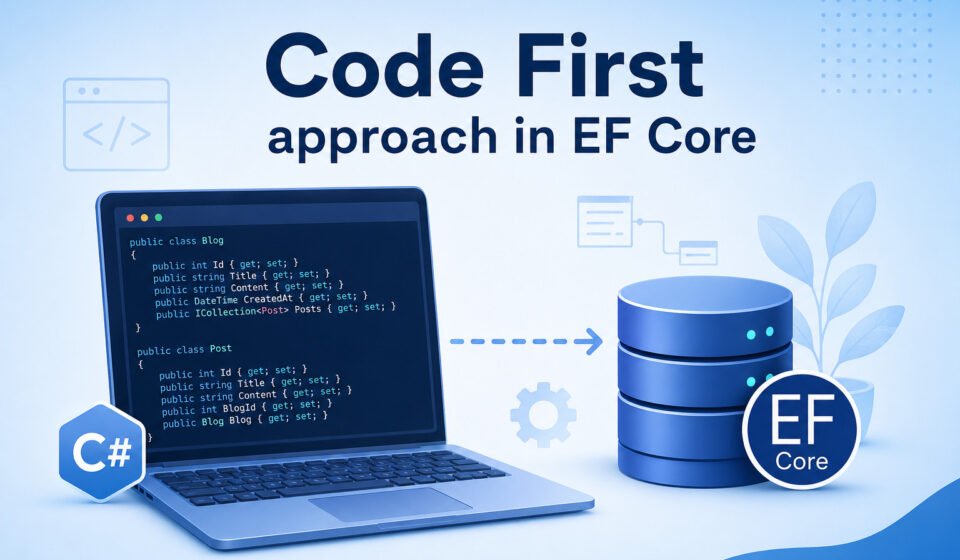

Code First Approach in EF Core – Complete Guide for ASP.NET Core Developers
The Code First approach in Entity Framework Core (EF Core) is one of the most popular ways to build modern ASP.NET Core applications. Instead of designing the database manually, developers create C# model classes first, and EF Core automatically generates the database structure from those classes.
This approach improves productivity, keeps the application structure clean, and allows developers to manage database changes directly from source code. It is especially useful for startups, enterprise applications, APIs, and projects where the domain model changes frequently.
In this guide, you will learn how the Code First approach in EF Core works, its advantages, setup process, migrations, relationships, and best practices.
What is the Code First Approach in EF Core?
The Code First approach means the database is created based on C# classes called entities or models. In addition, developers define properties, relationships, and validations inside classes, while EF Core converts them into database tables automatically.
Instead of creating tables manually in SQL Server, developers focus on writing business logic and entity classes. EF Core handles database schema generation and updates through migrations.
Main Components of Code First
- Entity Classes
- DbContext Class
- Migrations
- Database Provider
- Connection String
Advantages of Using Code First in EF Core
The Code First approach provides several benefits for software developers and enterprise teams. Moreover, it improves maintainability and speeds up the development process.
1. Faster Development
Developers can start building applications without waiting for database design completion. As a result, teams can reduce development time significantly.
2. Source Control Friendly
Database structure changes are stored in migration files; therefore, collaboration becomes easier in Git repositories.
3. Strongly Typed Models
Since everything is defined in C# classes, developers get IntelliSense support, compile-time checking, and better maintainability. Furthermore, debugging becomes more efficient.
4. Easy Database Updates
EF Core migrations help update the database schema without manually writing SQL scripts every time. Consequently, database management becomes more organized.
5. Better Domain-Driven Design
The domain model becomes the center of application architecture, which improves clean coding practices.
How to Install EF Core Packages
Before implementing the Code First approach, install the required EF Core packages in your ASP.NET Core project.
Install-Package Microsoft.EntityFrameworkCore
Install-Package Microsoft.EntityFrameworkCore.SqlServer
Install-Package Microsoft.EntityFrameworkCore.Tools
You can also use the .NET CLI command:
dotnet add package Microsoft.EntityFrameworkCore.SqlServer
Official documentation is available on the Microsoft website:
Entity Framework Core Documentation
Create Model Classes
The first step in the Code First approach is creating entity classes. After that, developers can configure the DbContext and migrations.
public class Student
{
    public int Id { get; set; }
    public string Name { get; set; }
    public string Email { get; set; }
    public int Age { get; set; }
}
This class represents a Student table in the database. Each property becomes a column.
Create DbContext Class
The DbContext class acts as a bridge between the application and the database. Additionally, it manages entity tracking and database operations.
using Microsoft.EntityFrameworkCore;

public class ApplicationDbContext : DbContext
{
    public ApplicationDbContext(DbContextOptions options)
        : base(options)
    {
    }

    public DbSet Students { get; set; }
}
The DbSet property represents a database table.
Add Connection String
Now configure the SQL Server connection string inside appsettings.json.
{
  "ConnectionStrings": {
    "DefaultConnection": "Server=.;Database=EFCoreCodeFirstDB;Trusted_Connection=True;TrustServerCertificate=True"
  }
}
Register DbContext in Program.cs
In ASP.NET Core, register the DbContext service inside Program.cs.
builder.Services.AddDbContext(options =>
    options.UseSqlServer(builder.Configuration.GetConnectionString("DefaultConnection")));
This configuration allows dependency injection to access the database context.
Create Database Using Migrations
Migrations are one of the most important features in EF Core because they help create and update the database schema based on model changes.
Create Initial Migration
Add-Migration InitialCreate
Or using .NET CLI:
dotnet ef migrations add InitialCreate
Update Database
Update-Database
This command creates the database and tables automatically.
Understanding Migration Files
When you create a migration, EF Core generates migration files containing schema operations such as table creation, column updates, indexes, and relationships.
These migration files are useful because:
- Database changes are version controlled
- Team collaboration becomes easier
- Production deployment is safer
- Rollback support is available
Working with Relationships in EF Core
EF Core supports different types of relationships.
One-to-Many Relationship
public class Department
{
    public int Id { get; set; }
    public string Name { get; set; }

    public ICollection Employees { get; set; }
}

public class Employee
{
    public int Id { get; set; }
    public string Name { get; set; }

    public int DepartmentId { get; set; }
    public Department Department { get; set; }
}
EF Core automatically identifies foreign key relationships.
Many-to-Many Relationship
Modern EF Core versions support many-to-many relationships without creating an explicit junction table manually.
Data Annotations in EF Core
Data annotations help configure validation rules and database behavior.
using System.ComponentModel.DataAnnotations;

public class Product
{
    public int Id { get; set; }

    [Required]
    [MaxLength(100)]
    public string Name { get; set; }

    [Range(1, 100000)]
    public decimal Price { get; set; }
}
These annotations improve data integrity and validation.
Fluent API Configuration
Fluent API provides advanced configuration options using the OnModelCreating method. In many enterprise applications, this approach is preferred for complex relationships.
protected override void OnModelCreating(ModelBuilder modelBuilder)
{
    modelBuilder.Entity()
        .Property(s => s.Name)
        .HasMaxLength(150)
        .IsRequired();
}
Fluent API is useful when relationships or database rules become complex.
Code First vs Database First
| Feature | Code First | Database First |
|---|---|---|
| Database Creation | From C# Classes | From Existing Database |
| Best For | New Projects | Legacy Systems |
| Flexibility | High | Medium |
| Development Speed | Fast | Depends on Existing Schema |
Best Practices for EF Core Code First
Use Separate Configuration Classes
For large applications, move Fluent API configurations into separate files.
Keep Models Clean
Avoid placing business logic directly inside entity classes.
Use Async Methods
Always use async database methods like ToListAsync and SaveChangesAsync for better application performance.
Apply Migrations Carefully
Test migrations in staging environments before production deployment.
Use Repository Pattern Carefully
EF Core already provides repository-like behavior through DbContext, so avoid unnecessary abstraction layers.
Common Errors in Code First Approach
Migration Not Detected
This usually happens when the startup project is not selected correctly.
Connection String Issues
Ensure the SQL Server instance name and credentials are correct.
Model Validation Errors
Check required fields, relationships, and constraints carefully.
Performance Tips for EF Core
- Use Select queries to fetch only required columns
- Avoid unnecessary Include statements
- Use AsNoTracking for read-only queries
- Optimize indexes in SQL Server
- Use pagination for large datasets
Conclusion and Next Step
The Code First approach in EF Core is a powerful and developer-friendly technique for building modern ASP.NET Core applications. Moreover, it simplifies database management, improves productivity, and keeps the application structure clean and maintainable.
By using entity classes, DbContext, migrations, and Fluent API configurations, developers can efficiently manage application databases directly from C# code.
Whether you are building enterprise applications, REST APIs, or small business systems, EF Core Code First provides flexibility, scalability, and faster development workflows.
If you are starting a new ASP.NET Core project, learning the Code First approach is an essential skill for modern .NET development.
Code-first migrations give developers full control over database schema versioning in C#. Learn how ORMs power enterprise backend architecture in our post on Advanced .NET Development: Complete Guide for Enterprise Applications. Understand EF Core fundamentals via Mastering Entity Framework Core Basics, perform transactional updates in Master CRUD Operations in ASP.NET Core, and align entity models with SQL Normalization Explained.