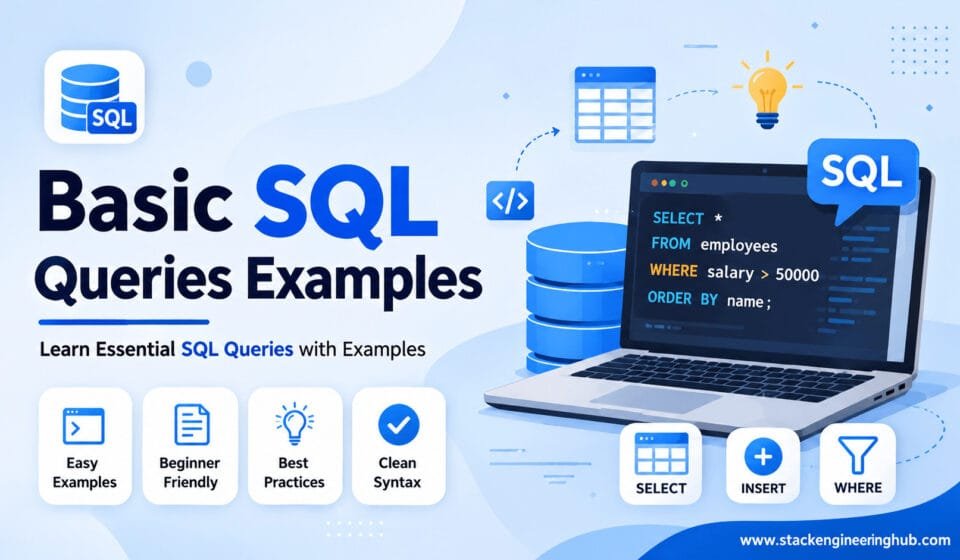

Basic SQL Queries Examples – Complete Beginner Guide
SQL (Structured Query Language) is one of the most important skills for developers, database administrators, and backend engineers. Whether you work with MySQL, SQL Server, PostgreSQL, or Oracle Database, understanding basic SQL queries examples helps you manage and retrieve data efficiently.
Today, modern web applications depend heavily on databases. For example, social media platforms, banking systems, eCommerce websites, hospital software, and school management portals all use databases daily. Therefore, developers use SQL to communicate with databases in a structured and organized way.
In this complete beginner guide, we will explore the most commonly used SQL commands with simple and practical examples. Moreover, if you are starting your backend development journey, these basic SQL queries examples will help you understand real-world database operations easily.
What is SQL? – Basic SQL Queries Examples Introduction
SQL stands for Structured Query Language. Developers use it to interact with relational databases. With SQL, developers create tables, insert records, update information, delete rows, and fetch important data from databases.
Additionally, SQL remains easy to learn because its syntax looks simple and readable. As a result, beginners can quickly understand how database systems work. Most companies also prefer SQL databases because they offer reliability, speed, and security for handling large amounts of business data.
Some popular relational database systems include:
- MySQL
- Microsoft SQL Server
- PostgreSQL
- Oracle Database
- SQLite
Why Developers Should Learn Basic SQL Queries
Learning SQL improves backend development knowledge significantly. Furthermore, even frontend developers benefit because APIs regularly fetch and store information in databases.
If you want to become a full stack developer, software engineer, or data analyst, SQL becomes an essential technical skill. In fact, many companies ask SQL query questions during backend development interviews.
- Easy syntax helps beginners learn quickly
- SQL works with multiple database systems
- Developers use SQL in backend development daily
- Businesses use SQL for reporting and analytics
- SQL improves database management skills
- Developers build optimized applications with SQL
Creating a Sample Table in SQL
Before learning more basic SQL queries examples, let us create a simple employee table. Generally, tables store related information in rows and columns.
CREATE TABLE Employees (
    Id INT PRIMARY KEY,
    Name VARCHAR(100),
    Department VARCHAR(50),
    Salary INT
);
This table stores employee information such as employee ID, employee name, department, and salary details.
- INT stores numeric values
- VARCHAR stores text values
- PRIMARY KEY keeps every employee ID unique
After creating the table, developers can insert and manage employee records easily.
INSERT Query Example in SQL
The INSERT query adds new records into a database table. For instance, when a new employee joins a company, developers insert employee details into the database using the INSERT statement.
INSERT INTO Employees (Id, Name, Department, Salary)
VALUES (1, 'Rahul', 'IT', 50000);
Similarly, developers can insert multiple records together:
INSERT INTO Employees (Id, Name, Department, Salary)
VALUES
(2, 'Amit', 'HR', 45000),
(3, 'Neha', 'Finance', 60000);
As a result, developers save time by inserting multiple rows with a single query.
SELECT Query – Most Important Basic SQL Query Example
The SELECT query remains one of the most commonly used SQL commands. Developers use it to fetch data from database tables quickly.
SELECT * FROM Employees;
Here, the asterisk (*) symbol tells SQL to display all columns from the table.
However, if you only need specific columns, you can write:
SELECT Name, Salary FROM Employees;
This query displays only employee names and salaries. Therefore, developers retrieve only the required information instead of loading unnecessary data.
WHERE Clause in SQL Queries
The WHERE clause filters records based on conditions. Consequently, developers retrieve only relevant data from the database.
SELECT * FROM Employees
WHERE Department = 'IT';
This query displays only employees who work in the IT department.
In addition, developers can use comparison operators:
SELECT * FROM Employees
WHERE Salary > 50000;
This query displays employees whose salary is greater than 50000.
UPDATE Query Example in SQL
The UPDATE query modifies existing records in a database table.
UPDATE Employees
SET Salary = 55000
WHERE Id = 1;
This query changes Rahul’s salary to 55000.
Most importantly, developers should always use the WHERE clause with UPDATE queries. Otherwise, SQL may update all rows accidentally.
DELETE Query Example in SQL
The DELETE statement removes records from a database table.
DELETE FROM Employees
WHERE Id = 3;
This query removes the employee whose ID equals 3.
Therefore, developers should use DELETE statements carefully because deleted data may become difficult to recover later.
ORDER BY Clause in Basic SQL Queries Examples
The ORDER BY clause sorts query results in ascending or descending order.
SELECT * FROM Employees
ORDER BY Salary DESC;
This query displays employees according to the highest salary first.
Similarly, developers can use ASC for ascending order sorting.
Advantages of Learning SQL Queries
SQL remains one of the most valuable technical skills in the software industry. Developers who understand databases build faster, smarter, and more optimized applications.
- Improves backend development knowledge
- Helps developers manage large datasets
- Supports business reporting systems
- Creates opportunities in database administration
- Helps data analysts work efficiently
Conclusion and Next Step
Understanding basic SQL queries examples is the first step toward becoming a skilled backend or full stack developer. Commands like SELECT, INSERT, UPDATE, DELETE, and WHERE appear daily in real-world applications.
Therefore, practice these SQL queries regularly using MySQL or SQL Server to improve your database skills. Once you master the basics, you can move toward advanced topics like JOINs, Stored Procedures, Indexes, Functions, and Database Optimization.
Writing clean DML queries allows you to interact with application data efficiently. For an end-to-end learning path, explore our complete SQL Server Tutorial: Complete Guide for Beginners to Advanced. Master data retrieval via SELECT Statement Explained, apply conditional filtering with WHERE Clause in SQL Explained, and refine query logic using SQL Operators Explained.
For official SQL documentation and advanced learning resources, visit
Microsoft SQL Documentation
and
MySQL Official Documentation.