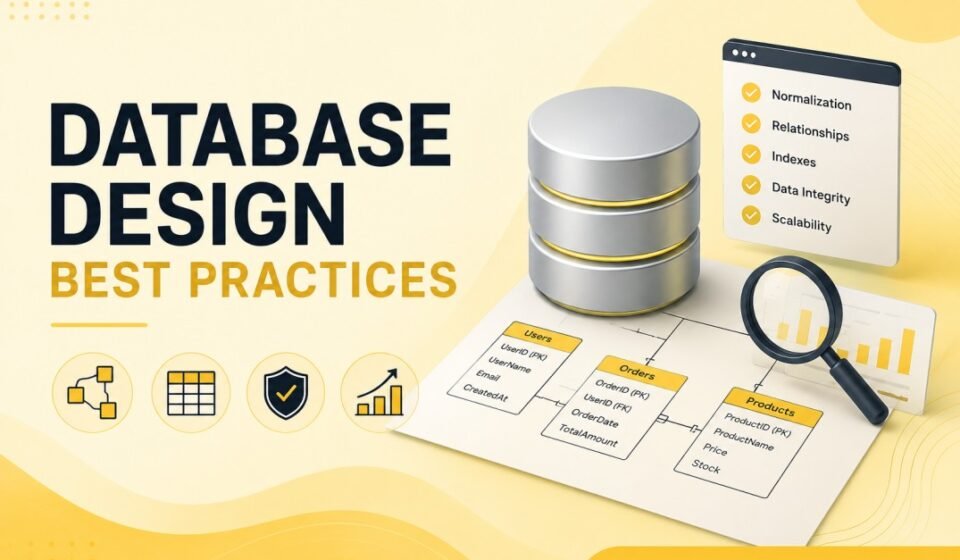

Database Design Best Practices: Build Scalable, Efficient, and Maintainable Databases
Database Design Best Practices are essential for building applications that perform well, scale efficiently, and remain easy to maintain over time. Whether you are developing a small business application or a large enterprise platform, your database design directly affects performance, reliability, security, and future development efforts. A poorly designed database can lead to slow queries, duplicated data, maintenance challenges, and scalability issues. On the other hand, a well-designed database provides a strong foundation for long-term success.
Modern software applications depend heavily on data. Therefore, developers must understand how to structure tables, relationships, indexes, and constraints correctly. Following Database Design Best Practices helps reduce technical debt while ensuring data integrity and application stability.
Why Database Design Matters
Many development teams focus heavily on application code while overlooking database architecture. However, even the most optimized application can suffer from poor performance if the underlying database structure is inefficient. Database design impacts query execution speed, storage requirements, reporting capabilities, scalability, and maintenance costs.
A well-designed database enables developers to retrieve information quickly, enforce business rules effectively, and support future growth without extensive restructuring. Consequently, investing time in proper design early in the project can save significant effort later.
Understand Business Requirements First
Before creating tables or writing SQL scripts, developers must fully understand business requirements. Every database exists to solve a business problem. Therefore, understanding how users interact with data is the first step toward effective design.
Gather requirements from stakeholders and identify key entities, workflows, reports, and relationships. For example, an e-commerce system may require customers, products, orders, payments, and shipping information. Identifying these entities early helps create a logical and scalable data model.
Questions to Ask During Requirements Analysis
- What data needs to be stored?
- How frequently will the data change?
- What reports are required?
- Which queries will run most often?
- How many users will access the system?
- What future growth is expected?
Use a Clear Data Model
A data model acts as the blueprint for your database. It defines entities, relationships, attributes, and business rules. Creating an Entity Relationship Diagram (ERD) before implementation helps visualize the structure and identify potential issues early.
Logical modeling allows developers and stakeholders to validate requirements before physical implementation begins. Additionally, documentation becomes easier when a clear data model exists.
Common Entity Examples
- Customer
- Order
- Product
- Invoice
- Employee
- Department
Choose Appropriate Data Types
Selecting the correct data type is one of the most overlooked Database Design Best Practices. Incorrect data types increase storage usage, reduce performance, and introduce validation problems.
For example, storing dates as strings makes filtering and sorting difficult. Similarly, using large data types unnecessarily wastes storage resources.
Recommended Examples
CustomerId      INT
CustomerName    VARCHAR(100)
DateCreated     DATETIME
Price           DECIMAL(10,2)
IsActive        BIT
Using the most appropriate data type improves query performance and ensures data consistency throughout the application.
Normalize Your Database
Normalization is the process of organizing data to eliminate redundancy and improve consistency. One of the most important Database Design Best Practices is applying normalization appropriately.
Normalization helps prevent duplicate data, reduces storage requirements, and simplifies updates. Furthermore, it improves data integrity by ensuring information is stored in the correct location.
First Normal Form (1NF)
Each column should contain atomic values, and repeating groups should be eliminated.
Second Normal Form (2NF)
All non-key columns should depend entirely on the primary key.
Third Normal Form (3NF)
Non-key attributes should not depend on other non-key attributes.
While normalization is beneficial, excessive normalization may increase query complexity. Therefore, developers should balance normalization with performance requirements.
Define Primary Keys Properly
Every table should have a primary key that uniquely identifies each record. Primary keys ensure data integrity and support efficient indexing.
Most applications use integer identity columns or globally unique identifiers (GUIDs) as primary keys. The selected approach depends on scalability requirements and architecture decisions.
CREATE TABLE Customers
(
    CustomerId INT PRIMARY KEY IDENTITY(1,1),
    CustomerName VARCHAR(100)
);
A properly designed primary key prevents duplicate records and improves query performance.
Use Foreign Keys for Relationships
Foreign keys enforce relationships between tables and maintain referential integrity. Without foreign keys, orphaned records and inconsistent data may appear.
CREATE TABLE Orders
(
    OrderId INT PRIMARY KEY,
    CustomerId INT,
    FOREIGN KEY (CustomerId)
    REFERENCES Customers(CustomerId)
);
Foreign key constraints ensure that every order references a valid customer record. As a result, data quality improves significantly.
Create Effective Indexes
Indexes are critical for database performance. They allow the database engine to locate data quickly instead of scanning entire tables.
One of the most valuable Database Design Best Practices is creating indexes on frequently searched columns. However, excessive indexing can negatively impact insert and update operations.
When to Use Indexes
- Frequently searched columns
- Columns used in JOIN operations
- Columns used in ORDER BY clauses
- Columns used in WHERE filters
CREATE INDEX IX_Customers_Email
ON Customers(Email);
Always monitor index usage and remove unnecessary indexes to maintain optimal performance.
Avoid Storing Duplicate Data
Duplicate data creates maintenance challenges and increases the risk of inconsistencies. Instead of storing the same information in multiple tables, use relationships and references whenever possible.
For example, customer addresses should generally exist in a dedicated table rather than being copied across multiple records. This approach simplifies updates and reduces storage consumption.
Design for Scalability
Applications often grow beyond their initial expectations. Therefore, developers should design databases with scalability in mind from the beginning.
Scalable database design includes efficient indexing, proper normalization, partitioning strategies, and optimized query patterns. Furthermore, selecting suitable primary keys and avoiding unnecessary complexity helps support future growth.
Scalability Considerations
- Expected data volume
- User growth projections
- Read versus write workloads
- Reporting requirements
- Cloud deployment strategies
Implement Data Integrity Constraints
Data integrity is a core objective of database design. Constraints prevent invalid data from entering the system and enforce business rules at the database level.
Common Constraints
- PRIMARY KEY
- FOREIGN KEY
- UNIQUE
- CHECK
- NOT NULL
- DEFAULT
CREATE TABLE Employees
(
    EmployeeId INT PRIMARY KEY,
    Salary DECIMAL(10,2) CHECK (Salary > 0)
);
Using constraints improves reliability and reduces dependency on application-level validation.
Optimize Query Performance
Database design and query performance are closely related. Efficient schema design reduces query complexity and improves response times.
Avoid selecting unnecessary columns, use indexes strategically, and review execution plans regularly. Additionally, developers should monitor slow-running queries and optimize them proactively.
Document Your Database Design
Documentation is often neglected during development projects. However, proper documentation helps new team members understand the database structure and business rules quickly.
Maintain diagrams, naming conventions, table descriptions, and relationship documentation. Consequently, long-term maintenance becomes significantly easier.
Follow Consistent Naming Conventions
Consistent naming improves readability and maintainability. Developers should establish naming standards for tables, columns, indexes, stored procedures, and constraints.
Examples
- Customers
- Orders
- OrderItems
- CustomerId
- OrderDate
- IX_Customers_Email
Clear naming conventions reduce confusion and make database management more efficient.
Security Considerations
Database security should be part of the design process rather than an afterthought. Sensitive information such as passwords, financial records, and personal data requires proper protection.
Implement least-privilege access, encrypt sensitive data, and audit database activity regularly. Furthermore, avoid storing confidential information in plain text whenever possible.
Conclusion and Next Step
Database Design Best Practices play a crucial role in building reliable, scalable, and high-performing software systems. A well-designed database improves data integrity, reduces maintenance costs, enhances performance, and supports future growth. By understanding business requirements, applying normalization appropriately, defining relationships correctly, creating effective indexes, enforcing constraints, and planning for scalability, developers can create databases that remain efficient for years.
As software applications continue to evolve, the importance of strong database architecture becomes even greater. Following these Database Design Best Practices will help developers build robust systems that deliver consistent performance, maintain data quality, and support long-term business objectives.
Adhering to solid database design principles prevents costly schema refactoring as applications scale. For a complete guide to relational databases, explore our SQL Server Tutorial: Complete Guide for Beginners to Advanced. Normalize your tables using SQL Normalization Explained, structure relationships through Primary Key vs Foreign Key, and plan efficient read paths with SQL Indexing Deep Dive.