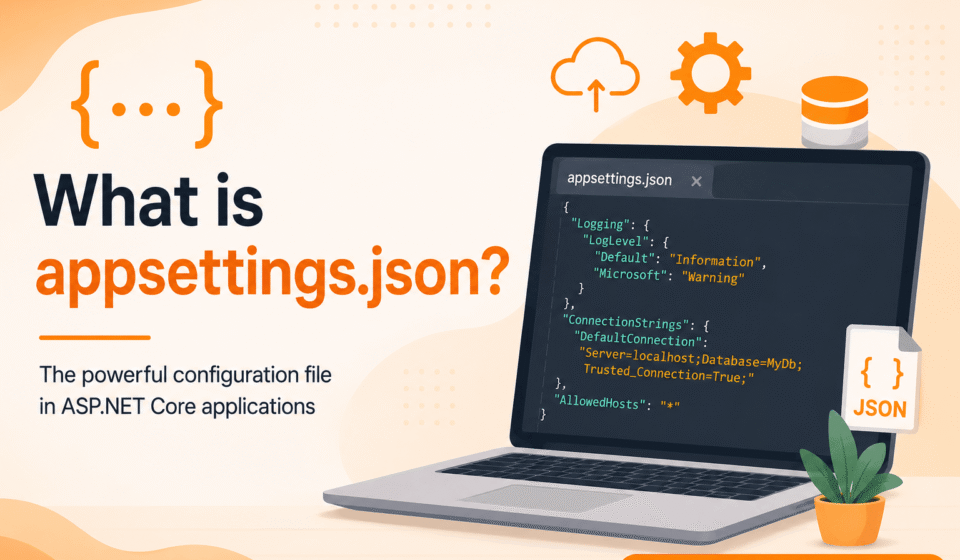

appsettings.json is one of the most important configuration files in ASP.NET Core applications. It is used to store application settings such as database connection strings, logging configuration, API keys, authentication settings, and custom application values in a structured JSON format.
Understanding what appsettings.json is and how it works is essential for every ASP.NET Core developer because it helps separate configuration from application logic, making applications more scalable, maintainable, and secure.
Modern applications often run in multiple environments such as development, staging, and production. This configuration file plays a critical role in managing environment-specific settings efficiently.
What is appsettings.json in ASP.NET Core?
In ASP.NET Core, appsettings.json is a default JSON-based configuration file used to store key-value pairs for application settings. Instead of hardcoding values directly into the code, developers store them externally in this file.
This approach improves flexibility and makes applications easier to maintain and update without modifying the source code.
ASP.NET Core automatically loads this file during application startup and provides access to its values through the built-in configuration system.
Why appsettings.json is Important
Configuration management is a critical part of software development. Hardcoding values such as database credentials or API keys inside code can lead to security risks and maintenance challenges.
This is why appsettings.json is important in ASP.NET Core applications.
- Separates configuration from business logic
- Improves application security
- Supports multiple environments
- Makes deployment easier
- Improves maintainability and readability
Structure of appsettings.json
The file follows a simple and readable JSON structure. It allows nested configuration settings.
{ "ConnectionStrings": { "DefaultConnection": "Server=.;Database=DemoDB;Trusted_Connection=True;" }, "Logging": { "LogLevel": { "Default": "Information", "Microsoft": "Warning", "System": "Error" } }, "AllowedHosts": "*", "AppSettings": { "ApplicationName": "My ASP.NET Core App", "Version": "1.0.0" } }
This hierarchical structure helps organize settings in a clean and structured way.
How ASP.NET Core Uses appsettings.json
ASP.NET Core automatically loads configuration from appsettings.json at runtime. Developers can access these values using the configuration system.
var connectionString = builder.Configuration["ConnectionStrings:DefaultConnection"]; var appName = builder.Configuration["AppSettings:ApplicationName"];
This eliminates the need for hardcoding values inside controllers or services.
Environment-Based Configuration
ASP.NET Core supports multiple environment-based configuration files. This allows developers to maintain different settings for different environments.
Common environment files include:
- appsettings.Development.json
- appsettings.Staging.json
- appsettings.Production.json
The system automatically loads the correct file based on the environment variable ASPNETCORE_ENVIRONMENT.
Real-World Example
In a real-world application such as an e-commerce platform, multiple configurations are required:
- Database connection strings
- Payment gateway API keys
- Email service settings
- Logging configurations
Instead of placing these values inside code, they are stored in appsettings.json, making the application flexible and easier to manage.
Best Practices
Following best practices ensures secure and maintainable configuration management.
- Do not store sensitive data directly in appsettings.json
- Use environment variables or secret managers
- Keep JSON structure clean and organized
- Use meaningful naming conventions
- Avoid duplication of configuration values
Common Mistakes
Developers often make mistakes when working with configuration files:
- Hardcoding sensitive data in configuration files
- Ignoring environment-based configuration
- Creating messy JSON structures
- Not validating configuration values
Advanced Features
Strongly Typed Configuration
ASP.NET Core supports mapping configuration sections to C# classes using the Options pattern.
public class AppSettings { public string ApplicationName { get; set; } public string Version { get; set; } }
Configuration Binding
builder.Services.Configure( builder.Configuration.GetSection("AppSettings"));
Secret Management
Sensitive data should be stored using secure tools like User Secrets or Azure Key Vault instead of appsettings.json.
Security Considerations
Security is a major concern in configuration management. Sensitive data must never be exposed in public repositories.
Always use secure storage mechanisms for production applications.
Performance Impact
Configuration files are loaded once during application startup, so they have minimal performance impact when used correctly.
Related Topics
- Dependency Injection in ASP.NET Core
- Middleware Pipeline in ASP.NET Core
- Routing in ASP.NET Core
- Entity Framework Core Basics
Conclusion And Next Step
In conclusion, appsettings.json is a core part of ASP.NET Core applications that helps manage configuration in a structured, secure, and scalable way.
Understanding this file is essential for building professional-grade applications that are easy to maintain and deploy across different environments.
Proper configuration management is key to maintaining clean and environment-friendly applications. Build your core skills using our ASP.NET Core Tutorial: Complete Guide for Beginners to Advanced. Understand project organization through ASP.NET Core Folder Structure Explained, inject options patterns via Dependency Injection in ASP.NET Core, and configure app logging levels in Logging in ASP.NET Core.
Official Documentation: Microsoft ASP.NET Core Configuration Docs