
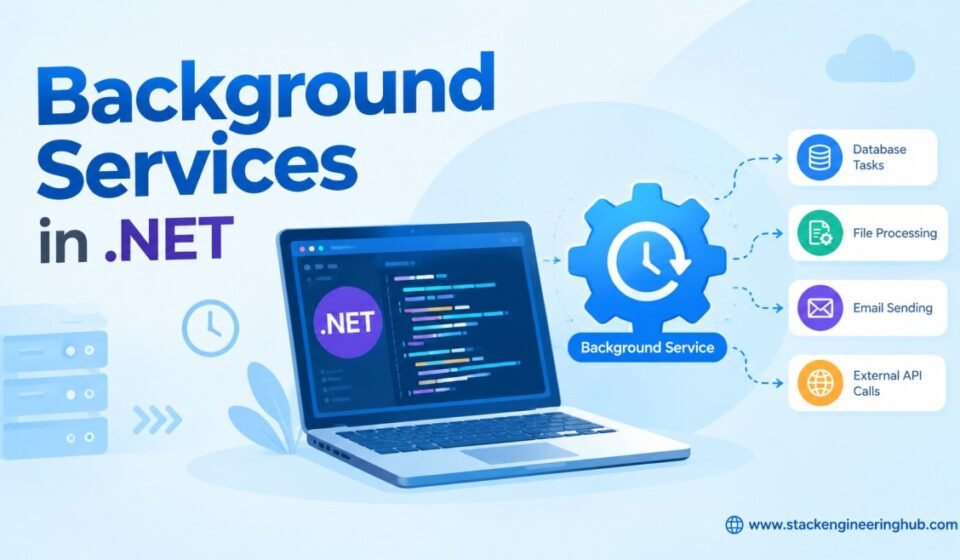

Background Services in .NET: Hosted Services, Workers, Scheduling & Best Practices
Background Services in .NET are an important part of modern application development when a task needs to run independently of an HTTP request. Instead of making a user wait while an application sends emails, processes files, generates reports, synchronizes data, or performs database maintenance, these operations can execute in the background. ASP.NET Core provides built-in support for background processing through IHostedService and BackgroundService, while the Worker Service template makes it possible to build dedicated long-running processes. In this guide, we will understand how Background Services in .NET work, how to implement them with practical C# examples, how Dependency Injection works inside workers, how to handle scoped services, scheduling, cancellation, errors, logging, and the production practices developers should follow when building enterprise applications.
What Are Background Services in .NET?
Background Services in .NET are long-running or recurring processes that execute independently from normal HTTP request processing. They are managed by the .NET Generic Host and can start when an application starts and stop gracefully when the application shuts down. A background service is useful when work does not need to be completed during the current web request.
For example, an API may receive an order and immediately return a response while a background service processes invoice generation, email notifications, inventory synchronization, or audit operations separately. This design prevents slow operations from unnecessarily increasing API response time.
Common Background Processing Scenarios
- Email and notification processing
- Scheduled database cleanup
- Report generation
- File and document processing
- Queue and message processing
- Data synchronization
- Cache refresh operations
- Third-party API polling
- Log and audit processing
- Periodic maintenance tasks
How Background Services Work
Background Services are managed by the .NET Generic Host. When an ASP.NET Core application starts, the host initializes configuration, Dependency Injection, logging, and registered hosted services. The hosted service then begins its execution independently of incoming HTTP requests.
When the application receives a shutdown signal, the host provides a cancellation mechanism to the background service. A well-designed worker observes this cancellation signal and stops gracefully instead of continuing indefinitely.
Typical Lifecycle
- The application starts.
- The .NET host initializes registered services.
- The hosted service starts execution.
- The background operation performs its work.
- The service continues until cancellation or application shutdown.
- The cancellation token signals the service to stop.
- The service completes active work and exits.
This lifecycle is especially important in production applications because background processes must not simply disappear when the application is restarted, deployed, or stopped.
IHostedService in .NET
IHostedService is the fundamental interface used by .NET for hosted background processes. It exposes two primary methods: StartAsync() and StopAsync(). This approach provides direct control over the startup and shutdown lifecycle of a service.
public class EmailHostedService : IHostedService
{
    public Task StartAsync(CancellationToken cancellationToken)
    {
        Console.WriteLine("Email service started.");
        return Task.CompletedTask;
    }

    public Task StopAsync(CancellationToken cancellationToken)
    {
        Console.WriteLine("Email service stopped.");
        return Task.CompletedTask;
    }
}
Implementing IHostedService directly can be useful when you need precise control over lifecycle behavior. However, for most continuously running background workloads, the BackgroundService base class provides a cleaner implementation.
What Is BackgroundService?
BackgroundService is an abstract base class provided by .NET that implements IHostedService. Instead of manually implementing both startup and shutdown methods, developers normally override ExecuteAsync() and place the long-running logic there.
public class Worker : BackgroundService
{
    private readonly ILogger<Worker> _logger;

    public Worker(ILogger<Worker> logger)
    {
        _logger = logger;
    }

    protected override async Task ExecuteAsync(CancellationToken stoppingToken)
    {
        while (!stoppingToken.IsCancellationRequested)
        {
            _logger.LogInformation("Background worker is running.");

            await Task.Delay(TimeSpan.FromSeconds(30), stoppingToken);
        }
    }
}
The stoppingToken is important because it allows the worker to detect when the application is shutting down. Using the token with asynchronous operations such as Task.Delay() makes the service responsive to cancellation.
Registering a Background Service
After creating the worker class, register it with the application’s Dependency Injection container using AddHostedService(). Once registered, the .NET host manages its lifecycle automatically.
builder.Services.AddHostedService<Worker>();You do not need to create the worker manually with the new keyword. The Dependency Injection container creates the service and the host starts it when the application starts.
If you are not familiar with Dependency Injection and service lifetimes, see our Dependency Injection in ASP.NET Core guide. Understanding service lifetimes becomes particularly important when Background Services use database or repository components.
Using Dependency Injection in Background Services
Background Services can use Dependency Injection just like controllers and other application components. Logging services, configuration, repositories, HTTP clients, business services, and other dependencies can be provided through constructor injection.
public class ReportWorker : BackgroundService
{
    private readonly ILogger<ReportWorker> _logger;
    private readonly IReportService _reportService;

    public ReportWorker(
        ILogger<ReportWorker> logger,
        IReportService reportService)
    {
        _logger = logger;
        _reportService = reportService;
    }

    protected override async Task ExecuteAsync(
        CancellationToken stoppingToken)
    {
        while (!stoppingToken.IsCancellationRequested)
        {
            await _reportService.GenerateReports();

            await Task.Delay(
                TimeSpan.FromHours(1),
                stoppingToken);
        }
    }
}
This approach keeps the worker focused on orchestration while the actual business rules remain inside separate services. That separation makes the application easier to test, maintain, and extend.
Using Scoped Services in BackgroundService
One of the most important concepts when working with Background Services is service lifetime. A hosted service is effectively managed as a singleton, while components such as Entity Framework Core DbContext are commonly registered with a scoped lifetime.
Injecting a scoped service directly into a singleton background service can create a lifetime mismatch. Instead, create a new Dependency Injection scope for each unit of work.
public class DataWorker : BackgroundService
{
    private readonly IServiceScopeFactory _scopeFactory;

    public DataWorker(IServiceScopeFactory scopeFactory)
    {
        _scopeFactory = scopeFactory;
    }

    protected override async Task ExecuteAsync(
        CancellationToken stoppingToken)
    {
        while (!stoppingToken.IsCancellationRequested)
        {
            using var scope = _scopeFactory.CreateScope();

            var repository = scope.ServiceProvider
                .GetRequiredService<IEmployeeRepository>();

            await repository.ProcessPendingRecords();

            await Task.Delay(
                TimeSpan.FromMinutes(5),
                stoppingToken);
        }
    }
}
Creating a scope ensures that scoped dependencies are created and disposed correctly. This is particularly useful for database operations because a new database context can be created for each processing cycle.
Scheduling Tasks with Background Services
A simple Background Service can perform scheduled work by using Task.Delay(). For example, an application may need to execute a cleanup process every 30 minutes.
protected override async Task ExecuteAsync(
    CancellationToken stoppingToken)
{
    while (!stoppingToken.IsCancellationRequested)
    {
        await CleanupTemporaryFiles();

        await Task.Delay(
            TimeSpan.FromMinutes(30),
            stoppingToken);
    }
}
This approach is suitable for simple recurring operations. However, if the application requires complex schedules such as cron expressions, multiple job types, persistent job storage, or distributed scheduling, a dedicated job-processing solution may be more appropriate.
Background Services and ASP.NET Core Applications
Background processing is separate from the normal HTTP request pipeline. Controllers receive requests, execute application logic, and return responses, while hosted services can continue processing independently. Understanding the ASP.NET Core request lifecycle helps developers decide which operations belong inside a request and which should be moved to background processing.
For a deeper understanding of how ASP.NET Core processes requests, see our ASP.NET Core Lifecycle Explained article.
Background Services with Database Operations
Database processing is one of the most common uses of Background Services. For example, an application can periodically identify pending records, process them, and update their status. When using Entity Framework Core, create an appropriate scope and avoid keeping a database context alive for the entire lifetime of the worker.
If your background worker communicates with SQL Server, it is useful to understand how ASP.NET Core applications establish database connectivity and configure Entity Framework Core. Our Connecting SQL with ASP.NET Core guide provides a practical foundation for this scenario.
Error Handling in Background Services
A background worker should not fail silently. External APIs can become unavailable, databases can temporarily reject connections, and individual records can contain invalid data. Always handle expected exceptions and log enough information to diagnose the problem.
try
{
    await ProcessPendingOrders();
}
catch (Exception ex)
{
    _logger.LogError(
        ex,
        "Error occurred while processing pending orders.");
}
For transient failures, retry strategies can be introduced with controlled delays and maximum retry attempts. Avoid retrying indefinitely because a continuously failing external dependency can cause excessive resource consumption.
Cancellation and Graceful Shutdown
Every long-running Background Service should respect its cancellation token. The host uses cancellation to notify the worker that the application is stopping. Ignoring the token can delay shutdown and may leave operations incomplete.
while (!stoppingToken.IsCancellationRequested)
{
    await ProcessWork(stoppingToken);

    await Task.Delay(
        TimeSpan.FromSeconds(10),
        stoppingToken);
}
Pass the cancellation token to database, HTTP, file, and other asynchronous operations whenever the API supports it. This allows ongoing work to stop more efficiently during deployment or application shutdown.
Logging and Monitoring
Logging is essential for background processing because there is no user sitting in front of a browser waiting for an error message. Log meaningful information such as job start time, completion time, processing count, failures, retry attempts, and execution duration.
Avoid excessive logging inside high-frequency loops. Instead, use structured logs that provide useful operational information. In production systems, combine application logs with monitoring and alerting so that failed background processes can be detected quickly.
Worker Service Template
A Worker Service is a .NET project template specifically designed for long-running background applications. It is useful when the application does not need to expose HTTP endpoints and its primary responsibility is background processing.
dotnet new worker -n BackgroundWorkerDemoWorker Services are useful for queue consumers, scheduled processing, Windows Services, Linux services, containerized workers, and other applications that need to run continuously without a web interface.
BackgroundService vs IHostedService
| Feature | IHostedService | BackgroundService |
|---|---|---|
| Implementation | Manual lifecycle implementation | Provides a ready-made base class |
| Lifecycle Control | More direct control | Built into the base class |
| Long-Running Work | Supported | Excellent choice |
| Code Complexity | Higher | Lower |
| Common Usage | Custom lifecycle scenarios | Workers and recurring processing |
Performance Best Practices
Background processing should be designed carefully because a worker can consume resources continuously. Prefer asynchronous APIs and avoid blocking calls such as Thread.Sleep(). Process database records in reasonable batches and avoid loading large datasets into memory unnecessarily.
- Use
asyncandawaitfor I/O operations. - Always respect
CancellationToken. - Avoid unnecessary infinite loops without delays.
- Use Dependency Injection instead of manually creating dependencies.
- Create scopes for scoped services.
- Process large datasets in batches.
- Reuse HTTP clients through
IHttpClientFactory. - Log failures and important processing metrics.
- Use retry policies for transient failures.
- Keep business logic outside the worker class.
Common Mistakes to Avoid
Several problems appear repeatedly in production Background Services. Injecting a scoped database context directly into a long-lived worker is a common mistake. Another problem is ignoring cancellation, which can make deployments and application shutdown slower than expected.
- Injecting scoped services directly into a singleton worker.
- Ignoring cancellation tokens.
- Using blocking operations inside asynchronous code.
- Allowing an unhandled exception to stop important processing.
- Running CPU-heavy operations without considering resource usage.
- Creating excessive Dependency Injection scopes.
- Logging every iteration of a high-frequency loop.
- Using a Background Service when a durable job or message queue is more appropriate.
When Should You Use Background Services?
Use Background Services when an operation can be performed independently of the user’s current request. Typical examples include email processing, report generation, scheduled cleanup, data synchronization, file processing, queue consumption, cache refreshes, and integration with external systems.
For simple application-level background processing, BackgroundService is often an excellent choice. For mission-critical workloads requiring guaranteed delivery, persistence, distributed execution, or advanced scheduling, consider a dedicated queue or job-processing architecture.
ASP.NET Core Web API and Background Processing
A common enterprise architecture is to expose an ASP.NET Core Web API for receiving requests while using a Background Service to process work asynchronously. For example, an API can accept a large file upload, store the file and create a processing record, and then return a response immediately. The background worker can process the file without keeping the HTTP request open.
This pattern can significantly improve perceived API performance because users do not have to wait for lengthy operations. If you are building APIs with ASP.NET Core, our ASP.NET Core Web API guide provides a useful starting point.
Production Considerations
A production Background Service should be treated as an operational component rather than simply an infinite loop. Consider what happens when the application restarts, the database becomes unavailable, two application instances run simultaneously, or a worker crashes while processing a record.
For simple workloads, an in-process Background Service may be sufficient. For distributed enterprise systems, durable queues, scheduled job platforms, or separate worker applications can provide stronger reliability and scalability. The architecture should be selected according to the importance and volume of the workload.
Official Documentation
For the latest implementation details, lifecycle behavior, and supported APIs, developers should refer to the official Microsoft Learn documentation for hosted services in ASP.NET Core.
Conclusion
Background Services in .NET provide a clean way to execute long-running, scheduled, and asynchronous workloads without keeping users waiting for an HTTP request to finish. The built-in IHostedService interface provides lifecycle control, while BackgroundService simplifies the implementation of continuous background processing. With Dependency Injection, scoped service management, cancellation tokens, structured logging, exception handling, and appropriate retry strategies, developers can build reliable background processing components for enterprise applications.
For most modern ASP.NET Core applications, start with BackgroundService when the workload is simple and application-level. As requirements become more complex, evaluate queues, dedicated Worker Services, scheduled job systems, or distributed processing architectures. The key is to keep background work isolated from HTTP request processing and design it with reliability, observability, cancellation, and scalability in mind.
Frequently Asked Questions
What is a Background Service in .NET?
A Background Service in .NET is a process that runs independently of normal HTTP requests. It is commonly used for scheduled jobs, email processing, file processing, database maintenance, queue consumption, and data synchronization.
What is the difference between IHostedService and BackgroundService?
IHostedService is the base interface that exposes startup and shutdown methods. BackgroundService is an abstract implementation that simplifies long-running workloads by allowing developers to override ExecuteAsync().
Can BackgroundService use Dependency Injection?
Yes. Background Services support Dependency Injection. Services such as loggers, repositories, configuration providers, HTTP clients, and business services can be injected. Scoped dependencies should normally be resolved inside a newly created service scope.
Can Background Services run scheduled tasks?
Yes. A simple worker can use Task.Delay() and a cancellation token to perform work at regular intervals. More complex scheduling requirements may be better handled by a dedicated scheduling or job-processing solution.
Should every background task use BackgroundService?
No. BackgroundService is suitable for many application-level workloads, but durable queues, distributed jobs, complex scheduling, and guaranteed processing may require specialized infrastructure. Select the solution according to workload reliability, scalability, and persistence requirements.



[…] host shuts down, the worker should observe the supplied cancellation token and stop cleanly. Our Background Services in .NET guide covers hosted services, cancellation, scoped dependencies, scheduling, and production […]