
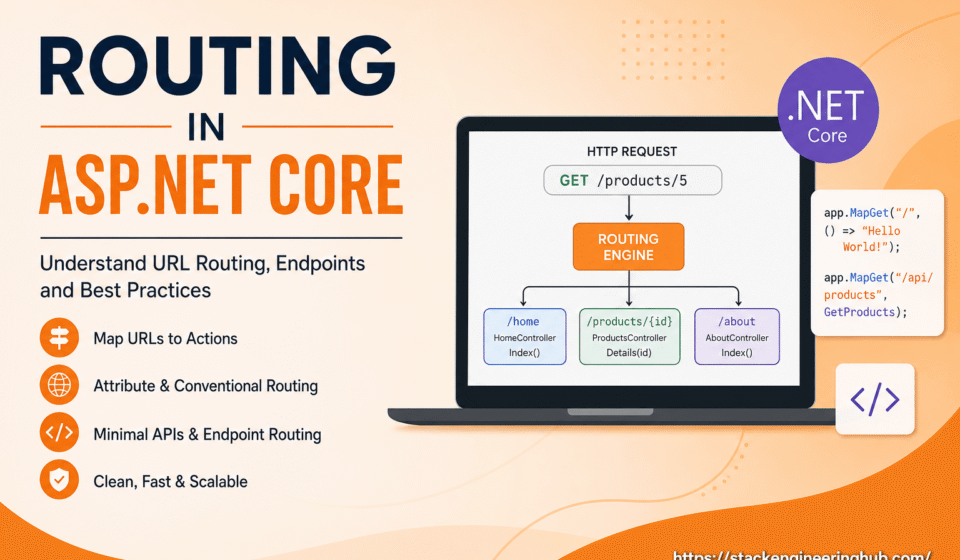

Routing System in ASP.NET Core: Complete Guide for Developers
Routing is one of the most important features in ASP.NET Core. It is responsible for mapping incoming HTTP requests to the correct controller action, API endpoint, or Razor page. Whenever a user enters a URL in the browser, the routing engine analyzes the request and decides which part of the application should handle it.
A well-structured routing system improves application performance, URL readability, SEO optimization, and overall maintainability. ASP.NET Core provides a flexible and high-performance routing mechanism that supports MVC applications, Web APIs, and Minimal APIs.
Overview of Routing in Web Applications
In modern web development, clean and meaningful URLs are essential for both users and search engines. Routing helps developers create user-friendly URL structures while keeping application logic organized.
ASP.NET Core includes endpoint routing, which is integrated with the middleware pipeline. This routing approach improves scalability and allows developers to build lightweight and high-performance applications.
Conventional Routing in ASP.NET Core
Conventional routing uses predefined URL patterns to map requests automatically to controllers and actions. This approach is commonly used in MVC-based applications.
app.MapControllerRoute(
    name: "default",
    pattern: "{controller=Home}/{action=Index}/{id?}");
In this example, the default controller is Home and the default action is Index. The optional id parameter can be used to pass dynamic values through the URL.
Conventional routing is simple to configure and works well for applications with a predictable URL structure.
Attribute Routing for APIs
Attribute routing allows developers to define routes directly on controllers or action methods using attributes. This approach provides better control over route management and is widely used in RESTful APIs.
[Route("api/products")]
public class ProductsController : Controller
{
    [HttpGet]
    public IActionResult GetProducts()
    {
        return Ok();
    }
}
Attribute routing improves readability and makes complex route structures easier to maintain. It is especially useful in enterprise-level API development.
Endpoint Routing and Minimal APIs
ASP.NET Core introduced endpoint routing to improve routing performance and middleware integration. Endpoint routing enables developers to define lightweight APIs with minimal configuration.
app.MapGet("/", () => "Hello World!");
Minimal APIs are becoming increasingly popular because they reduce boilerplate code and simplify small service development.
Best Practices for Route Management
Use Clean and Readable URLs
Readable URLs improve user experience and help search engines understand application content more effectively.
Keep Routes Organized
Large applications should organize routes based on features or modules to improve maintainability and scalability.
Avoid Hardcoded URL Structures
Reusable route patterns make future updates easier and reduce duplication inside the application.
Conclusion
Understanding routing is essential for every ASP.NET Core developer. A properly designed routing system improves application structure, performance, and scalability. Whether you are building MVC applications, REST APIs, or Minimal APIs, mastering routing concepts will help you create clean and professional web applications.
Internal Resource:
ASP.NET Core Middleware Guide
Official Documentation:
Microsoft ASP.NET Core Routing Documentation



This guide really clarifies how the routing engine acts as the critical bridge between incoming URLs and the right controller actions. It’s especially helpful to see the breakdown of how this mapping works for both Razor pages and API endpoints in one place. Great resource for anyone looking to move from basic routing concepts to more advanced configurations.
Well explained! The routing flow breakdown makes complex concepts much easier to understand. Glad you found the API + Razor comparison useful 🙌