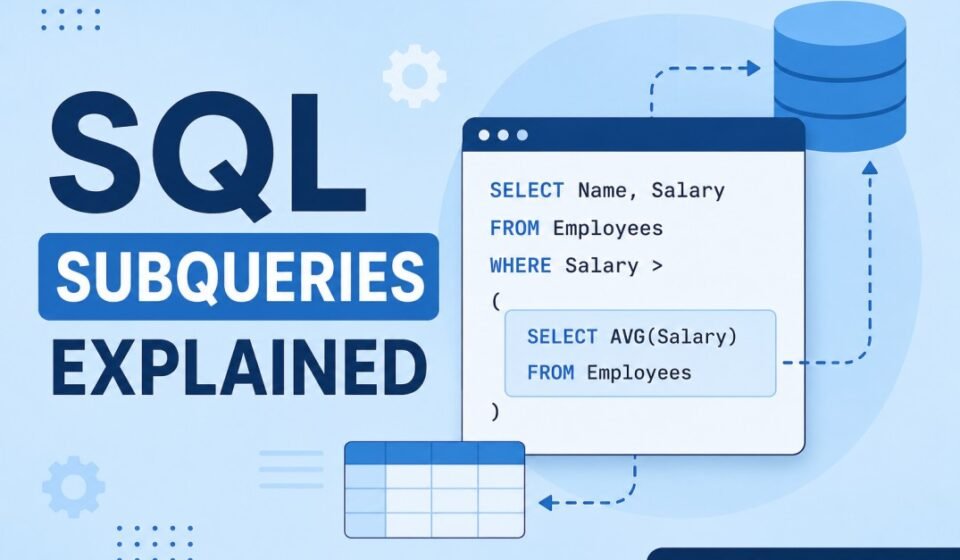

SQL Subqueries Explained: A Complete Guide with Practical Examples
SQL subqueries are one of the most powerful features of SQL because they allow you to write queries inside other queries. Instead of breaking complex logic into multiple SQL statements, you can solve many business problems using a single query with nested logic. Subqueries are commonly used in reporting, filtering, aggregation, data validation, and analytical queries. Whether you are preparing for SQL interviews or developing enterprise applications using SQL Server, understanding subqueries is an essential skill. In this guide, you will learn what SQL subqueries are, their different types, practical examples, advantages, limitations, performance considerations, and best practices. By the end of this article, you will be able to confidently write efficient SQL subqueries for real-world database applications.
What is a SQL Subquery?
A SQL subquery is a query written inside another SQL query. It is enclosed within parentheses and its result is used by the outer query. The inner query executes first, and its output becomes the input for the outer query. Because of this behavior, subqueries are also known as nested queries or inner queries.
Subqueries can appear inside SELECT, INSERT, UPDATE, DELETE, and WHERE clauses. They help developers avoid temporary tables and simplify complex SQL logic into manageable pieces.
Why Use SQL Subqueries?
SQL subqueries help developers solve problems that require intermediate calculations or filtered results. Instead of executing multiple queries manually, a subquery performs the calculation automatically within a single SQL statement.
- Reduce complex SQL logic
- Improve query readability
- Retrieve dynamic values
- Perform conditional filtering
- Generate reports efficiently
- Replace multiple SQL statements with one query
- Support advanced business logic
Sample Database
Throughout this tutorial, we’ll use a simple Employees table.
Employees

+----+----------+------------+---------+
|ID  |Name      |Department  |Salary   |
+----+----------+------------+---------+
|1   |John      |IT          |70000    |
|2   |David     |HR          |50000    |
|3   |Alice     |IT          |90000    |
|4   |Emma      |Finance     |65000    |
|5   |Sophia    |IT          |80000    |
+----+----------+------------+---------+
Basic SQL Subquery Syntax
SELECT column_name
FROM table_name
WHERE column_name
Operator
(
    SELECT column_name
    FROM table_name
    WHERE condition
);
The inner query executes first and returns a value or a list of values. The outer query then processes those results to return the final output.
Types of SQL Subqueries
SQL Server supports multiple types of subqueries depending on the number of rows returned and how they interact with the outer query.
1. Single-Row Subquery
A single-row subquery returns exactly one value. These are commonly used with comparison operators such as =, >, <, >=, and <=.
Example
SELECT Name, Salary
FROM Employees
WHERE Salary >
(
SELECT AVG(Salary)
FROM Employees
);
The subquery calculates the average salary, and the outer query retrieves employees earning more than the average salary.
Result
Alice
Sophia
2. Multiple-Row Subquery
A multiple-row subquery returns more than one value. These queries usually work with operators like IN, ANY, or ALL.
Example
SELECT Name
FROM Employees
WHERE Department IN
(
SELECT Department
FROM Employees
WHERE Salary > 75000
);
The inner query returns departments where employees earn more than 75,000, while the outer query returns every employee working in those departments.
SQL Subquery Using IN Operator
The IN operator is one of the most common ways to use subqueries. It checks whether a value exists within a list returned by the inner query.
SELECT Name
FROM Employees
WHERE Department IN
(
SELECT Department
FROM Employees
WHERE Salary > 70000
);
Since the IT department contains employees earning more than 70,000, every employee from the IT department is included in the final result.
SQL Subquery Using EXISTS
The EXISTS operator checks whether the subquery returns at least one record. Instead of returning values, it simply checks for the existence of matching rows. EXISTS is often faster than IN when working with large datasets because SQL Server stops searching as soon as it finds the first matching record.
SELECT Department
FROM Departments D
WHERE EXISTS
(
SELECT *
FROM Employees E
WHERE E.Department = D.DepartmentName
);
This query returns only those departments that have at least one employee.
SQL Subquery Using NOT EXISTS
NOT EXISTS performs the opposite operation. It returns rows where the subquery finds no matching records.
SELECT DepartmentName
FROM Departments D
WHERE NOT EXISTS
(
SELECT *
FROM Employees E
WHERE E.Department = D.DepartmentName
);
This query identifies departments without any employees, making it useful for administrative reports and database cleanup tasks.
Subquery in the SELECT Clause
Subqueries are not limited to filtering data. They can also be used inside the SELECT clause to calculate values for every row returned by the main query.
SELECT
Name,
Salary,
(
SELECT AVG(Salary)
FROM Employees
) AS AverageSalary
FROM Employees;
The average salary is calculated once and displayed alongside every employee record, making comparisons easier in reports.
Subquery in the FROM Clause
A subquery placed inside the FROM clause is often called a derived table. It behaves like a temporary table that exists only during query execution.
SELECT Department,
AVG(Salary) AS AvgSalary
FROM
(
SELECT Department, Salary
FROM Employees
) AS EmployeeData
GROUP BY Department;
Derived tables simplify complex queries by allowing developers to organize intermediate results before applying additional filtering or aggregation.
Official SQL Server Documentation
Microsoft provides complete documentation on SQL query fundamentals, operators, and advanced querying techniques. Refer to the official documentation for syntax updates and feature support.
Microsoft SQL Server Documentation
Correlated Subqueries
Unlike a regular subquery, a correlated subquery depends on the outer query for its values. Instead of executing only once, it runs once for every row processed by the outer query. Although correlated subqueries are extremely useful for row-by-row comparisons, they can become slower on large datasets if proper indexes are not available.
Example
SELECT
    E1.Name,
    E1.Department,
    E1.Salary
FROM Employees E1
WHERE Salary >
(
    SELECT AVG(E2.Salary)
    FROM Employees E2
    WHERE E2.Department = E1.Department
);
In this example, SQL Server calculates the average salary for each employee’s department and compares the employee’s salary against that department average. Employees earning more than the average salary in their department are returned.
Nested Subqueries
SQL allows you to place one subquery inside another subquery. These are called nested subqueries. Although there is technically a nesting limit depending on the database engine, deeply nested queries usually become difficult to read and maintain. In most enterprise applications, keeping nesting levels low improves readability and debugging.
Example
SELECT Name
FROM Employees
WHERE Department =
(
    SELECT Department
    FROM Employees
    WHERE Salary =
    (
        SELECT MAX(Salary)
        FROM Employees
    )
);
The innermost query finds the maximum salary. The second query identifies the department of that employee. Finally, the outer query returns all employees working in that department.
Scalar Subqueries
A scalar subquery returns exactly one value. Since only one value is returned, it can be used anywhere a single value is expected, including the SELECT list, WHERE clause, HAVING clause, or even calculations.
Example
SELECT
Name,
Salary,
Salary -
(
SELECT AVG(Salary)
FROM Employees
)
AS SalaryDifference
FROM Employees;
This query calculates how much each employee’s salary differs from the overall company average.
Subquery with UPDATE Statement
Subqueries are frequently used while updating records. Instead of manually calculating values beforehand, the update statement can directly use the result of a subquery.
UPDATE Employees
SET Salary = Salary * 1.10
WHERE Department =
(
SELECT Department
FROM Departments
WHERE DepartmentName = 'IT'
);
This example increases the salary of employees belonging to the IT department by ten percent.
Subquery with DELETE Statement
Subqueries also simplify delete operations by identifying rows dynamically.
DELETE FROM Employees
WHERE Department IN
(
SELECT DepartmentName
FROM Departments
WHERE IsActive = 0
);
The query removes employees belonging to departments that are marked as inactive.
Subquery with INSERT Statement
INSERT statements can use subqueries to copy data from one table into another without manually specifying values.
INSERT INTO EmployeeArchive
(
ID,
Name,
Department,
Salary
)
SELECT
ID,
Name,
Department,
Salary
FROM Employees
WHERE Department =
(
SELECT DepartmentName
FROM Departments
WHERE DepartmentName = 'HR'
);
This approach is commonly used for data archiving and migration tasks.
Subquery vs JOIN
One of the most common questions among developers is whether to use a subquery or a JOIN. The answer depends on readability, performance, and business requirements.
| Subquery | JOIN |
|---|---|
| Better for isolated calculations | Better for combining tables |
| Easy to understand | Often faster on large datasets |
| Can become slower if correlated | Usually optimized well by SQL Server |
| Good for filtering | Good for reporting |
| Can replace temporary calculations | Better for relational data retrieval |
Performance Considerations
Although SQL subqueries are powerful, poor implementation can negatively affect query performance. SQL Server’s Query Optimizer often converts many subqueries into joins internally, but developers should still write efficient queries.
- Create indexes on frequently searched columns.
- Avoid unnecessary correlated subqueries.
- Return only required columns.
- Use EXISTS instead of IN when checking record existence in large tables.
- Avoid SELECT * whenever possible.
- Analyze execution plans for expensive queries.
- Rewrite slow subqueries as JOINs when appropriate.
Common Mistakes
- Returning multiple rows when only one value is expected.
- Using = instead of IN for multi-row subqueries.
- Ignoring NULL values.
- Writing deeply nested queries.
- Forgetting indexes.
- Using correlated subqueries unnecessarily.
- Using SELECT * inside EXISTS.
Best Practices
- Keep subqueries simple and readable.
- Use aliases for better readability.
- Prefer EXISTS for existence checks.
- Use JOIN when combining multiple tables for reporting.
- Always test execution plans for complex queries.
- Document complicated business logic.
- Avoid unnecessary nesting.
- Use meaningful table aliases.
Real-World Use Cases
SQL subqueries are widely used in enterprise applications. HR systems use them to identify employees earning above the departmental average. Banking applications use them to detect customers with unusually large transactions. E-commerce websites rely on subqueries to identify top-selling products, inactive customers, and inventory shortages. Reporting dashboards frequently use nested queries to calculate KPIs, summarize data, and generate management reports. Because subqueries allow developers to solve complex business problems with concise SQL statements, they remain an essential tool in every SQL Server developer’s toolkit.
Interview Questions
1. What is a SQL subquery?
A subquery is a query written inside another SQL query that provides values for the outer query.
2. What is the difference between a subquery and a correlated subquery?
A normal subquery executes once, whereas a correlated subquery executes once for every row processed by the outer query.
3. Which operators commonly work with subqueries?
IN, EXISTS, NOT EXISTS, ANY, ALL, and comparison operators such as =, >, and <.
4. Is a JOIN faster than a subquery?
Not always. SQL Server’s optimizer often rewrites queries internally. Performance depends on indexing, execution plans, and query complexity.
5. Can subqueries be used with INSERT, UPDATE, and DELETE?
Yes. They are supported in all major DML statements and are commonly used in enterprise applications.
Conclusion and Next Step
SQL subqueries provide an elegant way to solve complex data retrieval problems without breaking logic into multiple SQL statements. From filtering records and calculating aggregates to updating, inserting, and deleting data dynamically, subqueries are used extensively in modern SQL Server development. Understanding when to use scalar, multi-row, correlated, and nested subqueries helps developers write cleaner, more maintainable, and efficient SQL code. While subqueries improve readability, performance should always be evaluated using indexes and execution plans, especially when working with large production databases. Mastering SQL subqueries is an important step toward becoming a proficient SQL developer and building high-performance database applications.
Subqueries allow you to perform complex nested queries to isolate precise datasets. Continue building your SQL skills through our complete SQL Server Tutorial: Complete Guide for Beginners to Advanced. Revisit basic retrieval in SELECT Statement Explained, compare nested queries with SQL JOIN Explained, and filter nested evaluation logic using WHERE Clause in SQL Explained.