
Views in SQL Server: Complete Guide with Syntax, Examples, Types, and Best Practices
Views in SQL Server are one of the most useful database objects for simplifying complex queries, improving security, and presenting data in a structured manner. Instead of repeatedly writing long SQL queries with multiple joins, filters, and calculations, developers can create a view and query it just like a regular table. Views do not store data themselves unless they are indexed views; they simply store the SQL query definition. Whether you are building enterprise applications, reporting dashboards, or REST APIs, understanding SQL Server views can significantly improve database design and maintainability. In this guide, you will learn what views are, why they are important, their different types, how to create and modify them, practical examples, best practices, and performance considerations for real-world applications.
What are Views in SQL Server?
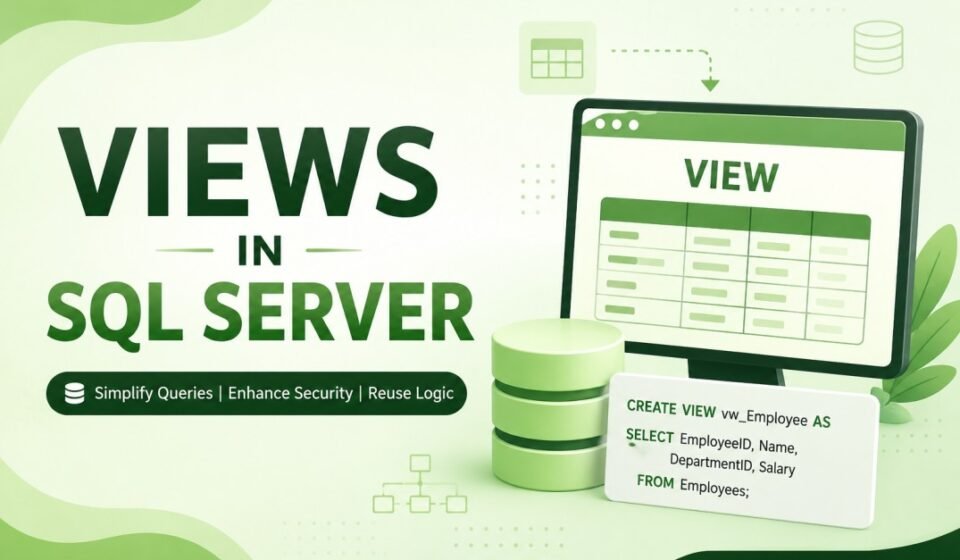
A View in SQL Server is a virtual table whose contents are defined by a SQL SELECT statement. Unlike a physical table, a view does not store actual records. Instead, SQL Server executes the underlying SELECT query whenever the view is accessed, returning the latest data from the referenced tables.
You can think of a view as a saved SQL query. Developers and applications can query a view exactly like a normal table using the SELECT statement.
Example
Employees Table

EmployeeID   Name       DepartmentID   Salary
------------------------------------------------
1            John       1              65000
2            Alice      2              72000
3            David      1              80000
Instead of querying the Employees table directly every time, you can create a view that only returns employee names and salaries.
CREATE VIEW vwEmployeeSalary
AS
SELECT Name, Salary
FROM Employees;
Now simply execute:
SELECT *
FROM vwEmployeeSalary;
Why Use Views in SQL Server?
Views provide several advantages that make database development easier and more secure. They help developers reduce repetitive code while allowing administrators to control which data users can access.
Main Benefits
- Simplifies complex SQL queries
- Improves code readability
- Provides an additional security layer
- Supports reusable business logic
- Reduces duplicate SQL code
- Hides unnecessary columns
- Supports reporting and dashboards
- Makes application maintenance easier
How Views Work
When a user executes a SELECT statement against a view, SQL Server expands the stored query definition and retrieves data from the underlying tables. Because views reference the original tables, the returned data is always current unless an indexed view is used.
Application
      │
      ▼
View
      │
      ▼
SELECT Statement
      │
      ▼
Base Tables
This architecture allows applications to interact with a simplified dataset while keeping the actual database structure hidden.
Types of Views in SQL Server
1. Simple View
A simple view is created using a single table and usually does not include aggregate functions, GROUP BY clauses, or joins. It is the most common type of SQL Server view.
CREATE VIEW vwEmployees
AS
SELECT EmployeeID,
       Name,
       Salary
FROM Employees;
Simple views are often updatable, meaning INSERT, UPDATE, and DELETE operations can be performed under certain conditions.
2. Complex View
A complex view combines multiple tables using JOIN statements and may include aggregate functions, GROUP BY, DISTINCT, or calculated columns.
CREATE VIEW vwEmployeeDepartment
AS
SELECT
    e.EmployeeID,
    e.Name,
    d.DepartmentName
FROM Employees e
INNER JOIN Departments d
ON e.DepartmentID = d.DepartmentID;
Complex views are commonly used in reporting applications where information from multiple tables must be displayed together.
3. Indexed View
An indexed view physically stores its data after a unique clustered index is created. Unlike standard views, indexed views can improve query performance for frequently executed aggregate queries.
Indexed views require several SQL Server rules such as SCHEMABINDING and deterministic expressions.
Advantages of Views
- Hide sensitive database columns
- Simplify large SQL statements
- Improve application maintainability
- Reduce repetitive coding
- Present customized data to different users
- Support database abstraction
- Provide reusable query logic
- Improve reporting consistency
Creating Your First View
Creating a view is straightforward. Use the CREATE VIEW statement followed by the SELECT query that defines the virtual table.
Syntax
CREATE VIEW ViewName
AS
SELECT column1,
       column2
FROM TableName
WHERE Condition;
Example
CREATE VIEW vwActiveEmployees
AS
SELECT
    EmployeeID,
    Name,
    Salary
FROM Employees
WHERE IsActive = 1;
Whenever someone queries this view, SQL Server automatically returns only active employees.
SELECT *
FROM vwActiveEmployees;
Example Using Multiple Tables
Views become even more valuable when multiple related tables are involved. Instead of writing joins throughout the application, developers can centralize the logic inside a view.
CREATE VIEW vwEmployeeDetails
AS
SELECT
    e.EmployeeID,
    e.Name,
    d.DepartmentName,
    e.Salary
FROM Employees e
INNER JOIN Departments d
ON e.DepartmentID = d.DepartmentID;
Now retrieving employee information becomes much simpler.
SELECT *
FROM vwEmployeeDetails;
Filtering Data Using Views
Views can also filter records based on business requirements. This reduces repetitive WHERE clauses throughout the application.
CREATE VIEW vwHighSalaryEmployees
AS
SELECT
    EmployeeID,
    Name,
    Salary
FROM Employees
WHERE Salary > 70000;
Applications can directly query the view instead of repeatedly writing filtering conditions.
SELECT *
FROM vwHighSalaryEmployees;
Using Aggregate Functions in Views
Views are frequently used for reporting because they can include aggregate functions such as COUNT(), SUM(), AVG(), MIN(), and MAX(). This allows applications to retrieve summarized information with a simple SELECT statement.
CREATE VIEW vwDepartmentSalarySummary
AS
SELECT
    DepartmentID,
    COUNT(*) AS TotalEmployees,
    AVG(Salary) AS AverageSalary,
    SUM(Salary) AS TotalSalary
FROM Employees
GROUP BY DepartmentID;
Instead of calculating these values every time, developers can simply query the view whenever department-level salary statistics are required.
SELECT *
FROM vwDepartmentSalarySummary;
When Should You Use Views?
Views are an excellent choice whenever multiple users or applications require the same SQL query. They are especially useful for reporting, dashboards, APIs, enterprise software, and security-focused applications. Rather than exposing entire database tables, views allow developers to present only the required columns and rows, making applications easier to maintain and more secure as business requirements evolve.
Can We Insert, Update, and Delete Data Using Views?
One of the most common questions among SQL Server beginners is whether data can be modified through a view. The answer is yes, but only under specific conditions. A simple view that references a single table without aggregate functions, DISTINCT, GROUP BY, UNION, or calculated columns is generally updatable. SQL Server forwards the modification to the underlying base table.
However, if the view contains joins, aggregate functions, or other complex operations, SQL Server may prevent data modification because it cannot determine how the changes should be applied to the underlying tables.
Insert Example
INSERT INTO vwEmployees(Name, Salary)
VALUES ('Michael', 65000);
Update Example
UPDATE vwEmployees
SET Salary = 72000
WHERE EmployeeID = 5;
Delete Example
DELETE FROM vwEmployees
WHERE EmployeeID = 5;
Before performing data modification through a view, verify that the view satisfies SQL Server’s update rules. Otherwise, SQL Server returns an error indicating that the view is not updatable.
Using WITH CHECK OPTION
The WITH CHECK OPTION clause ensures that any inserted or updated rows continue to satisfy the view’s filtering condition. This prevents users from inserting data that would immediately disappear from the view.
Example
CREATE VIEW vwActiveEmployees
AS
SELECT EmployeeID,
       Name,
       Salary,
       IsActive
FROM Employees
WHERE IsActive = 1
WITH CHECK OPTION;
If a user attempts to update IsActive to 0 through this view, SQL Server rejects the operation because the modified row would no longer meet the view condition.
ALTER VIEW
Business requirements change over time, and SQL Server allows developers to modify an existing view without dropping and recreating it. The ALTER VIEW statement updates only the view definition while preserving its permissions.
Syntax
ALTER VIEW ViewName
AS
SELECT ...
Example
ALTER VIEW vwEmployees
AS
SELECT
    EmployeeID,
    Name,
    Salary,
    DepartmentID
FROM Employees;
After executing the ALTER VIEW statement, all future queries against the view use the updated definition automatically.
DROP VIEW
If a view is no longer required, it can be removed from the database using the DROP VIEW statement. Deleting a view does not remove any data because the records remain stored in the underlying tables.
Syntax
DROP VIEW vwEmployees;
Always verify that no applications, reports, stored procedures, or other database objects depend on the view before deleting it.
WITH SCHEMABINDING
SCHEMABINDING binds a view to the schema of its underlying tables. Once enabled, SQL Server prevents changes to the referenced tables that would invalidate the view. This feature is mandatory when creating indexed views.
Example
CREATE VIEW dbo.vwEmployeeSummary
WITH SCHEMABINDING
AS
SELECT
    EmployeeID,
    Name,
    Salary
FROM dbo.Employees;
Schema binding improves database integrity by ensuring that important views remain synchronized with the underlying database structure.
Indexed Views
Unlike standard views, indexed views physically store their results after a unique clustered index is created. Since SQL Server no longer needs to calculate the result every time, query performance can improve significantly for complex reporting workloads.
Indexed views are especially useful in data warehouses, financial reporting systems, and business intelligence applications where aggregate calculations are executed repeatedly.
Requirements for Indexed Views
- WITH SCHEMABINDING must be specified.
- The view must use deterministic expressions.
- A unique clustered index must be created first.
- Certain SQL features such as OUTER JOIN are restricted.
- All referenced objects must belong to the same database.
Example
CREATE UNIQUE CLUSTERED INDEX
IX_vwEmployeeSummary
ON dbo.vwEmployeeSummary(EmployeeID);
Although indexed views improve read performance, they increase the cost of INSERT, UPDATE, and DELETE operations because SQL Server must also maintain the indexed view.
Security Benefits of Views
Views provide an additional security layer by restricting direct access to base tables. Instead of granting users permission on sensitive tables, database administrators can expose only the required columns through a view.
Example
Suppose the Employees table contains confidential information such as Salary, BankAccountNumber, and NationalID. Human Resources may require access to all columns, while other departments should only see employee names and departments.
CREATE VIEW vwPublicEmployees
AS
SELECT
    EmployeeID,
    Name,
    DepartmentID
FROM Employees;
Users can now query the view without accessing confidential employee information stored in the underlying table.
Performance Considerations
A common misconception is that standard views automatically improve performance. In reality, SQL Server expands the view definition during query optimization. Therefore, a standard view usually performs similarly to executing the original SELECT statement directly.
Performance improvements mainly occur when views simplify application logic, encourage query reuse, or use indexed views for expensive aggregate calculations.
Performance Tips
- Select only the required columns.
- Avoid using SELECT * inside production views.
- Create indexes on underlying tables.
- Use indexed views only when appropriate.
- Keep view definitions simple whenever possible.
- Monitor execution plans for frequently used views.
- Avoid unnecessary nested views.
Best Practices
Following best practices ensures that views remain easy to understand, maintain, and optimize throughout the application lifecycle.
- Use meaningful view names such as vwEmployeeDetails.
- Avoid nested views whenever possible.
- Document complex business logic.
- Keep filtering logic simple.
- Grant permissions on views instead of tables when appropriate.
- Avoid unnecessary ORDER BY clauses.
- Review execution plans for performance-critical views.
- Use schema-qualified object names.
Common Mistakes
Many developers unintentionally misuse views, resulting in poor performance or maintenance challenges. Understanding these mistakes helps create more efficient database designs.
- Using SELECT * in production environments.
- Creating deeply nested views.
- Expecting standard views to cache data.
- Ignoring indexing on underlying tables.
- Using views instead of proper normalization.
- Creating unnecessary complex views.
- Not documenting business rules.
- Assuming every view supports INSERT, UPDATE, and DELETE operations.
Real-World Use Cases
Views are extensively used in enterprise applications to simplify reporting, improve security, and separate business logic from application code. Reporting tools such as SQL Server Reporting Services (SSRS), Power BI, and many custom dashboards frequently consume views instead of querying base tables directly. This approach reduces development effort while maintaining a consistent data model across multiple applications.
In large organizations, different departments often require different representations of the same data. Views make it possible to provide customized datasets without duplicating tables or writing repetitive SQL queries in every application.
Interview Questions on Views in SQL Server
1. What is a View in SQL Server?
A View is a virtual table based on the result of a SELECT statement. It stores the query definition rather than the actual data and retrieves the latest data from the underlying tables whenever it is queried.
2. What is the difference between a Table and a View?
| Table | View |
|---|---|
| Stores physical data. | Stores only the SQL query definition. |
| Consumes storage. | Consumes very little storage. |
| Can exist independently. | Depends on one or more base tables. |
| Supports all DML operations. | DML support depends on the view definition. |
3. Can a View improve performance?
A standard view does not automatically improve performance because SQL Server expands the underlying query during execution. However, indexed views can significantly improve the performance of frequently executed aggregate queries.
4. Can we create a View using multiple tables?
Yes. SQL Server allows views to be created using JOIN operations across multiple tables, making them ideal for reporting and business applications.
5. What is an Indexed View?
An Indexed View is a view that stores its result set physically after a unique clustered index is created. It is mainly used to optimize complex reporting queries.
Frequently Asked Questions (FAQs)
Are Views faster than Tables?
No. Views are not inherently faster than tables. Standard views execute their underlying SELECT statement each time they are accessed. Performance depends on the query, indexes, and execution plan.
Can we join multiple tables inside a View?
Yes. SQL Server views can include INNER JOIN, LEFT JOIN, RIGHT JOIN, and other supported joins, allowing developers to combine related data from multiple tables.
Can a View contain aggregate functions?
Yes. Aggregate functions such as COUNT(), SUM(), AVG(), MIN(), and MAX() can be used inside a view, making them useful for reporting and analytics.
Can we create indexes on every View?
No. Only indexed views that satisfy SQL Server requirements, including the use of WITH SCHEMABINDING and a unique clustered index, can have indexes.
Do Views store data?
Standard views do not store data. They only store the SQL query definition. Indexed views are an exception because SQL Server materializes their data after indexing.
Summary
Views in SQL Server provide a powerful way to simplify database development by encapsulating complex SQL queries into reusable virtual tables. They help improve readability, centralize business logic, restrict access to sensitive data, and make applications easier to maintain. From simple single-table views to advanced indexed views, SQL Server offers flexibility for both transactional systems and enterprise reporting solutions.
Choosing the right type of view depends on your application’s requirements. Standard views are excellent for abstraction and code reuse, while indexed views can boost performance for specific workloads. By following best practices such as avoiding SELECT *, using schema-qualified object names, indexing underlying tables appropriately, and documenting complex logic, developers can build scalable and maintainable database solutions.
Official Documentation
Conclusion and Next Step
Views in SQL Server are an essential feature for every database developer and administrator. They simplify complex queries, improve security by exposing only the required data, and promote reusable business logic across applications. Whether you are developing an ASP.NET Core application, creating Power BI reports, or managing enterprise databases, mastering SQL Server views will help you write cleaner, more maintainable, and more secure database solutions.
As you continue learning SQL Server, combine views with stored procedures, indexes, functions, and triggers to build high-performance database applications. Understanding when to use each database object is the key to designing scalable and efficient systems.
Views act as a powerful abstraction layer to simplify complex queries and restrict table exposure. Build a complete understanding of database development with our SQL Server Tutorial: Complete Guide for Beginners to Advanced. Learn to encapsulate SELECT Statement Explained queries, simplify multi-table reads from SQL JOIN Explained, and query underlying schemas organized by SQL Normalization Explained.