
What is SQL? A Beginner’s Complete Guide to Understanding Databases
If you are wondering what is SQL and why developers use it everywhere, you are not alone. One of the first technologies developers encounter in software engineering, backend development, and web applications is Structured Query Language. Nearly every modern application depends on data. Social media platforms store user profiles, eCommerce applications manage products and orders, and banking systems process financial records. This information needs to be stored, organized, and accessed efficiently.
Applications today rely heavily on databases because data drives business operations. Whether someone logs into an application, places an order, uploads a profile image, or views analytics dashboards, information is continuously stored and retrieved from database systems.
Understanding what is SQL is important because almost every business application relies on a relational database. Whether you are building a simple website, an enterprise ERP solution, or a cloud-native application, you need an efficient way to communicate with stored data. SQL provides a standardized approach that allows developers, database administrators, analysts, and even business intelligence professionals to work with structured information reliably.
From a beginner’s perspective, SQL might initially appear to be just another programming language. However, it is actually a specialized language designed specifically for managing data. Instead of writing complex application logic, developers write simple commands to retrieve, insert, update, or delete records. As a result, SQL has become one of the easiest yet most powerful technologies to learn in software development.
What is SQL and Why Does it Matter?
Structured Query Language is a standardized language used for communicating with relational databases. Developers use it to retrieve, insert, update, delete, and organize information inside tables.
Think of it as a communication bridge between applications and database servers. Instead of manually searching records, developers send commands and receive organized information instantly.
When discussing what is SQL, it is equally important to understand its role in modern software architecture. Every online banking portal, hospital management system, airline reservation platform, and eCommerce website depends on SQL queries to process thousands or even millions of database requests every day. Without SQL, applications would struggle to organize and retrieve information efficiently.
Another reason SQL matters is its universal acceptance. Although different database vendors offer additional features, the core SQL syntax remains largely consistent. Therefore, once you understand SQL fundamentals, switching between MySQL, PostgreSQL, Microsoft SQL Server, or Oracle Database becomes significantly easier.
Moreover, SQL is not limited to developers alone. Data analysts use SQL to generate reports, business analysts retrieve operational insights, database administrators maintain performance, and software testers validate application data. This versatility makes SQL one of the most valuable technical skills across multiple career paths.
Understanding Database Query Flow
Whenever an application needs information, it sends requests to the database server. The server processes those requests and returns the required information.
Although the overall process happens within milliseconds, multiple components work together behind the scenes. The application sends a request through its backend, the database engine validates the syntax, checks permissions, creates an execution plan, retrieves the required records, and finally returns the result set to the application.
In enterprise environments, thousands of users may execute database operations simultaneously. Modern database engines efficiently manage concurrent requests using indexing, caching, query optimization, and transaction management. Consequently, users experience fast response times even when applications process massive volumes of information.
Simple flow:
- User requests information
- Application creates a database request
- Database executes the operation
- Results return to application
- User sees output
For example, when a customer signs in to an online shopping website, the application sends a query to verify the username and password. If the credentials match stored records, the database returns the user’s profile details. The application then displays personalized information such as previous orders, saved addresses, and shopping cart items almost instantly.
Database Table Structure
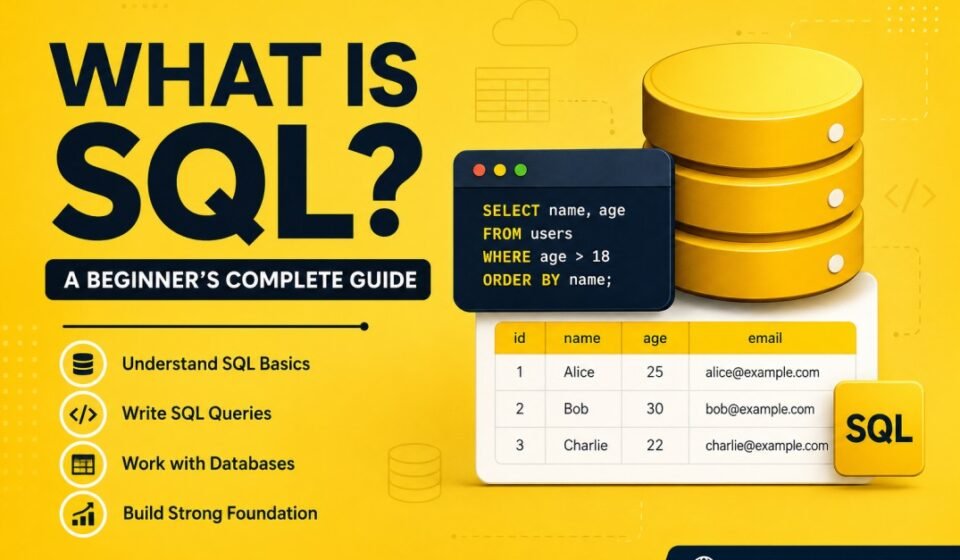
Relational systems organize data into rows and columns. Tables store related information in a structured format.
Every table represents a specific entity, such as customers, products, employees, or orders. Each row contains one complete record, while every column represents a specific attribute. This structured design helps databases maintain consistency, improve search performance, and simplify reporting.
When learning what is SQL, understanding tables is essential because almost every SQL statement interacts with one or more tables. Proper table design also improves scalability, reduces duplicate data, and simplifies future application maintenance.
| ID | Name | |
|---|---|---|
| 1 | John | john@email.com |
| 2 | Alex | alex@email.com |
Each row represents a unique record, while columns define individual fields.
In production databases, tables may contain millions of rows. To retrieve information quickly, database administrators create indexes on frequently searched columns. Additionally, relationships between tables are established using primary keys and foreign keys, allowing applications to connect related information efficiently without storing duplicate records.
Popular Database Systems
- MySQL
- PostgreSQL
- Microsoft SQL Server
- SQLite
- Oracle Database
Each platform offers unique features, but database fundamentals remain largely similar.
Although the SQL language follows international standards, every database management system provides additional capabilities that address different business requirements. Choosing the right platform depends on factors such as scalability, licensing, security, cloud integration, performance, and the experience of the development team.
For beginners learning what is SQL, the good news is that the core concepts remain the same regardless of the database engine. Once you understand how to create tables, write queries, and manage records, transitioning between different relational databases becomes much easier.
MySQL is widely used in web development because it is lightweight, reliable, and supported by many hosting providers. Popular content management systems and PHP-based applications often rely on MySQL for data storage.
PostgreSQL is known for its advanced features, standards compliance, and strong support for complex queries. It is commonly selected for enterprise applications, analytics platforms, and systems requiring high data integrity.
Microsoft SQL Server is a preferred choice for organizations using the Microsoft technology stack. It integrates seamlessly with ASP.NET Core, Azure services, Power BI, and Entity Framework Core, making it an excellent option for enterprise software development.
SQLite is an embedded database engine that stores data inside a single file. Mobile applications, desktop software, and lightweight applications frequently use SQLite because it requires minimal configuration and consumes very few resources.
Oracle Database is designed for large-scale enterprise workloads where high availability, security, and advanced performance optimization are critical. Many banking, healthcare, and government organizations depend on Oracle Database for mission-critical applications.
Common Database Operations
Once you understand what is SQL, the next step is learning the most common database operations. Every application performs these operations repeatedly to manage information stored inside database tables. Together, these commands are often referred to as CRUD operations—Create, Read, Update, and Delete.
Mastering these commands helps developers build reliable applications while maintaining data consistency. Additionally, understanding when and how to use each operation efficiently improves overall application performance.
Retrieve Data Using SQL
Retrieving information is one of the most common SQL operations. Developers use the SELECT statement to fetch records that satisfy specific conditions. In production environments, it is considered a best practice to retrieve only the columns required by the application instead of requesting unnecessary data.
SELECT * FROM Users;
Although SELECT * is useful for learning, experienced developers typically specify column names explicitly. Doing so reduces network traffic, improves query performance, and makes the application easier to maintain.
Add Data Using SQL
Applications continuously add new information to databases. User registrations, customer orders, payment records, support tickets, and product details are all stored using INSERT statements. Proper validation should always occur before inserting records to maintain data quality.
INSERT INTO Users(Name)
VALUES('John');
In enterprise applications, insert operations are often wrapped inside transactions to ensure that multiple related records are saved successfully. If any step fails, the transaction can be rolled back, preventing incomplete or inconsistent data.
Update Records Using SQL
Businesses frequently modify existing information. Customers update their addresses, employees change contact information, and administrators correct inaccurate records. UPDATE statements make these modifications while preserving the remaining data.
UPDATE Users
SET Name='Alex'
WHERE Id=1;
One of the most common beginner mistakes is forgetting the WHERE clause. Without it, every row in the table may be updated accidentally. Therefore, experienced developers always verify update conditions before executing queries in production environments.
Delete Records Using SQL
Delete operations permanently remove records from database tables. Organizations use DELETE statements when information is no longer required or when old data must be archived according to business policies.
DELETE FROM Users
WHERE Id=1;
Before deleting production data, developers should verify backup procedures and confirm business requirements. In many enterprise systems, logical deletion using status flags is preferred over permanent deletion because it allows historical records to remain available for auditing and reporting purposes.
Database Usage in Backend Development
Backend developers work with data storage systems daily. APIs require persistent storage for users, transactions, logs, and application records.
Frameworks such as ASP.NET Core, Node.js, Java Spring Boot, and Django commonly integrate with relational databases.
For example, when users log into applications, the backend validates credentials and retrieves account details from stored records.
Understanding what is SQL becomes especially valuable when developing REST APIs or enterprise backend services. Nearly every API endpoint performs one or more database operations, such as validating users, retrieving product information, processing payments, or generating reports.
Modern backend applications also implement connection pooling, parameterized queries, transactions, and asynchronous database access to improve scalability. These techniques help applications support thousands of simultaneous users while maintaining fast response times.
Furthermore, backend developers often combine SQL with Object Relational Mapping (ORM) frameworks. Even when an ORM generates queries automatically, understanding SQL remains essential for debugging performance issues, analyzing execution plans, and optimizing slow database operations.
Entity Framework Integration
ASP.NET Core developers frequently use Entity Framework Core. Developers interact with C# classes while the framework generates database operations internally.
Entity Framework converts LINQ expressions into executable commands sent to the database engine.
Although Entity Framework Core simplifies database access, developers should still understand what is SQL because every LINQ query is ultimately translated into SQL statements. Knowing how SQL works makes it much easier to identify inefficient queries, reduce unnecessary database calls, and improve application performance.
In enterprise projects, developers frequently analyze the SQL generated by Entity Framework Core to ensure indexes are used correctly and that queries return only the required data. This practice helps reduce execution time, minimize server load, and improve scalability as applications grow.
Database Best Practices
- Use indexes for performance optimization
- Select only required columns
- Avoid unnecessary nested queries
- Prevent injection attacks
- Normalize table structures
- Monitor slow queries regularly
- Use pagination for large datasets
Following database best practices improves both application performance and long-term maintainability. Even well-written applications can experience slow response times if database design and query optimization are ignored.
When learning what is SQL, focus not only on writing queries but also on writing efficient queries. For example, selecting only the required columns reduces memory consumption, while proper indexing enables the database engine to locate records much faster.
Security is another critical consideration. Developers should always use parameterized queries or ORM frameworks to prevent SQL Injection attacks. Validating user input, implementing least-privilege database access, and encrypting sensitive information further strengthen application security.
Additionally, organizations should monitor slow-running queries using built-in database tools. Identifying performance bottlenecks early helps maintain consistent application responsiveness as user traffic increases.
Common Beginner Mistakes
- Using SELECT * everywhere
- Ignoring indexes
- Writing unoptimized joins
- Not validating user input
- Poor database structure design
Every developer makes mistakes while learning SQL, and that is a natural part of the learning process. However, recognizing common issues early helps build better coding habits and improves application quality.
One frequent mistake is relying on SELECT * in production applications. Although convenient during development, retrieving unnecessary columns wastes bandwidth and increases query execution time. Instead, developers should request only the fields required by the application.
Another common issue is ignoring indexes or creating too many of them. While indexes improve read performance, excessive indexing can slow insert and update operations. Therefore, database design should always balance read and write performance based on business requirements.
Beginners also sometimes execute UPDATE or DELETE statements without a WHERE clause, unintentionally affecting every row in a table. For this reason, experienced developers verify queries carefully and often test them in development environments before deploying changes to production.
External Resource
In addition to hands-on practice, studying trusted learning resources helps reinforce database concepts. Combining tutorials with real-world exercises allows beginners to understand not only the syntax but also the reasoning behind efficient database design and query optimization.
Conclusion an Next Step
Database knowledge is one of the most valuable technical skills developers can learn. Understanding what is SQL and how information is stored and retrieved helps build scalable, secure, and high-performance applications. Start with basic commands, understand database structures, and practice regularly using real-world projects. As your confidence grows, you can explore advanced topics such as indexing, stored procedures, views, transactions, and query optimization.
Understanding database fundamentals is the first step toward becoming a proficient developer. To follow a structured learning path, check out our master SQL Server Tutorial: Complete Guide for Beginners to Advanced. Set up your local environment with How to Install SQL Server 2019 on Windows, start writing queries using Basic SQL Queries Examples, and learn data storage rules in SQL Data Types Explained.
Finally, if you truly want to master what is SQL, consistency is more important than speed. Practice writing queries every day, analyze existing databases, solve real-world problems, and gradually move from beginner concepts to advanced database administration and performance tuning. A strong SQL foundation will benefit you throughout your career, whether you become a software developer, backend engineer, data analyst, database administrator, or cloud architect.